Git: https://github.com/tsuijunxi/ContinuousCornerKit.git
Background
After iOS 7, Apple brought the idea of curvature continuity from industrial design into visual design and refined the classic rounded app icon outline. Before iOS 7, rounded corners were mostly simple circular arcs. The transition from the straight edge into the arc created an abrupt curvature jump from 0 to a fixed value, which could look visually harsh. Continuous corners make that curvature rise smoothly from 0 toward the target value, producing a softer and more natural transition.
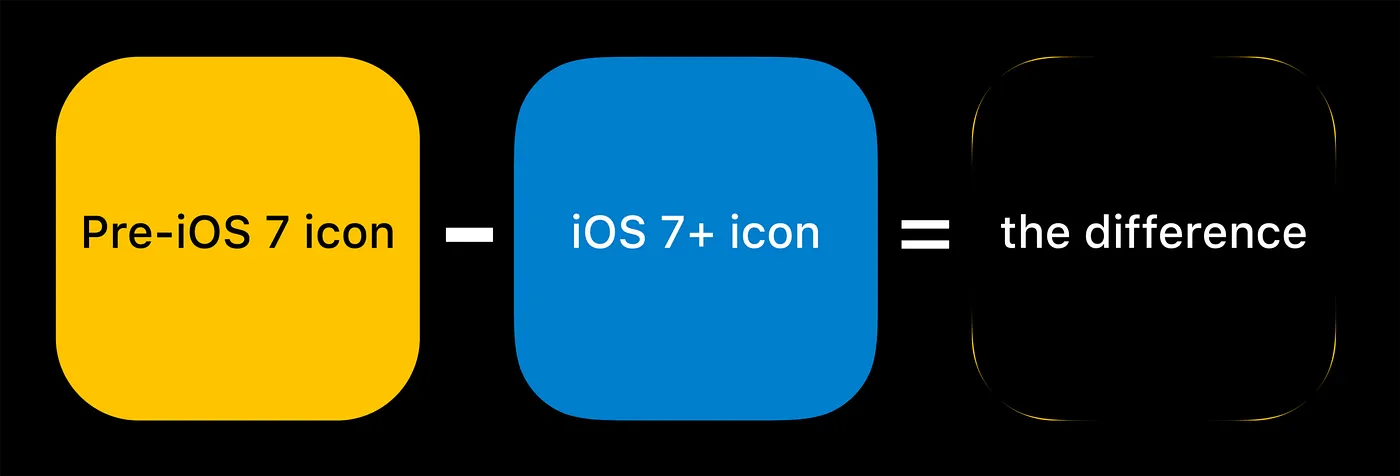
Measured result: size = 320x320, radius = 44, iou = 0.99899. The overlap between the continuous corner and the regular rounded corner is extremely high: 99.899%.
Apple provides a very simple API for continuous corners:
1 | view.layer.cornerRadius = 12; |
However, Apple does not expose the parameters behind its implementation, which makes custom continuous-corner rendering surprisingly difficult.
So the real question is: can we reproduce the shape ourselves? Why do Apple’s continuous corners look so smooth, and can we derive parameters that are close enough to Apple’s output?
Hypotheses About iOS Continuous Corners
After iOS continuous corners appeared, several explanations circulated in the community. Some suggested that the underlying curve was a superellipse; others pointed to the Euler spiral. Let’s test both hypotheses.
Is the iOS continuous corner icon a superellipse?
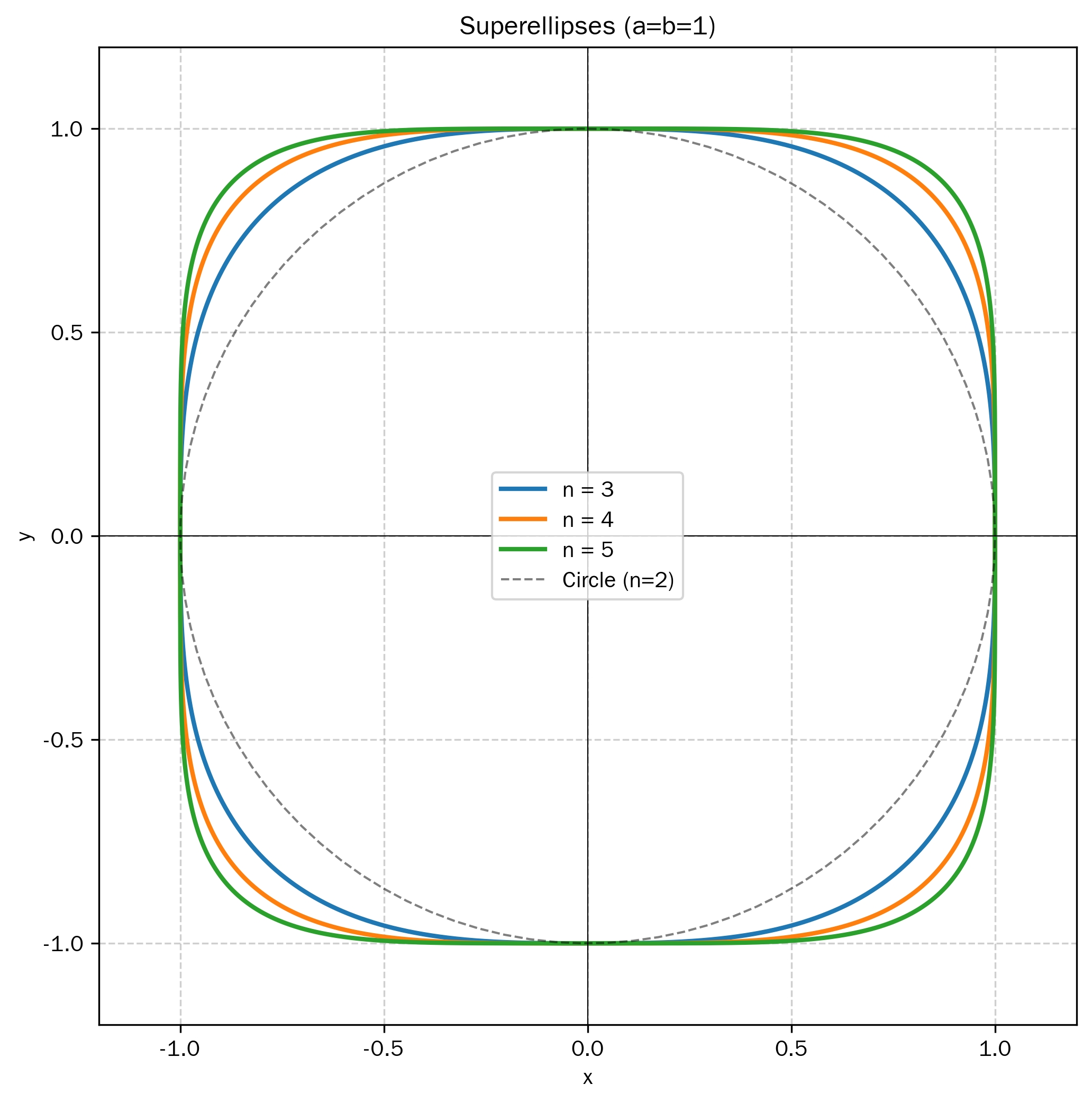
A superellipse is defined as:
When
When
As
Visually, a superellipse is curved everywhere, with no truly flat section. Its curvature changes continuously, and a higher exponent creates a smoother transition toward the sides. Apple’s continuous corner, however, still contains straight segments. That rules out the superellipse hypothesis for iOS continuous corners.
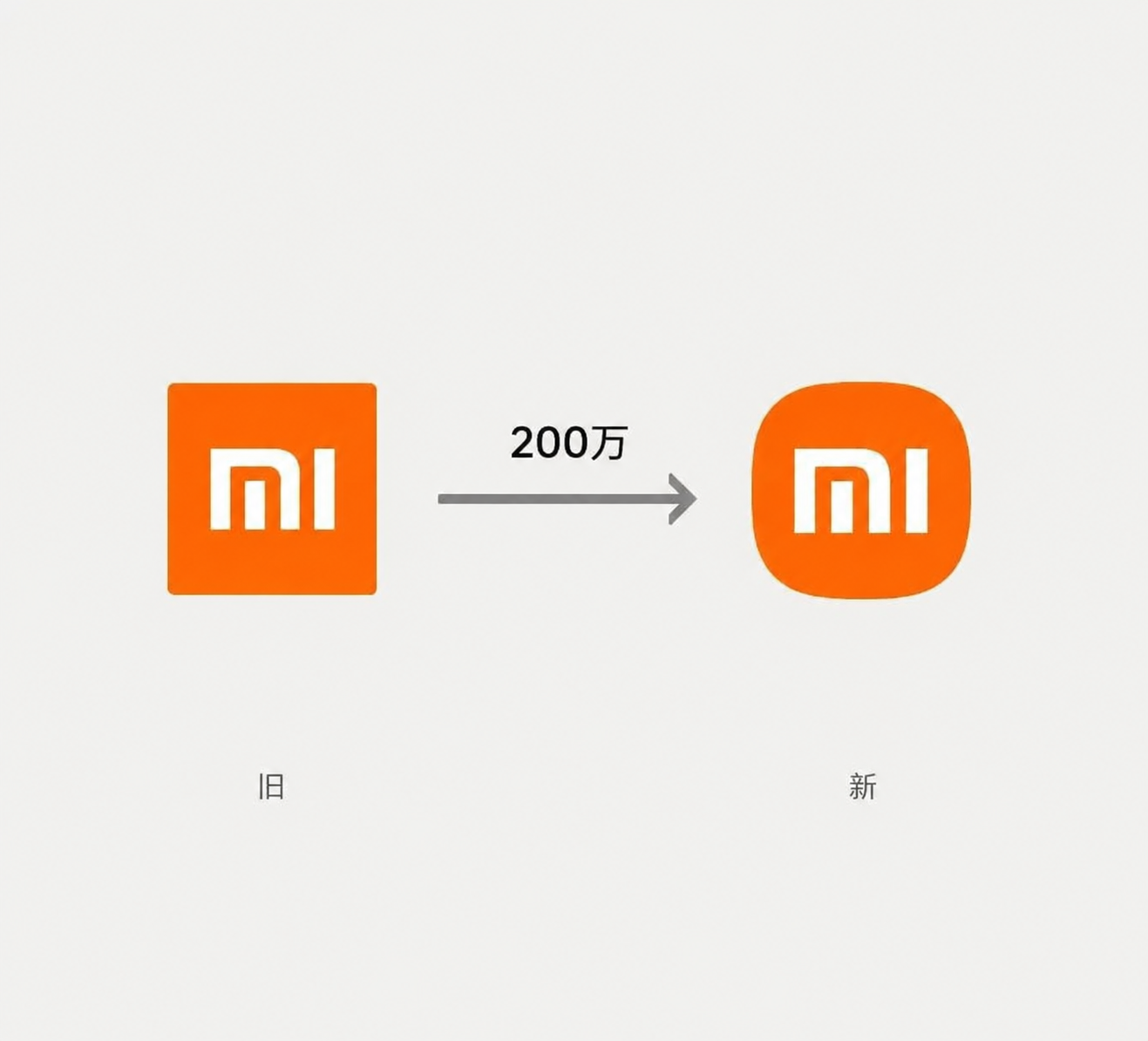
As a side note, Xiaomi’s much-discussed “RMB 2 million icon” is one
of the better-known commercial uses of a superellipse. Its outline is
essentially a superellipse with
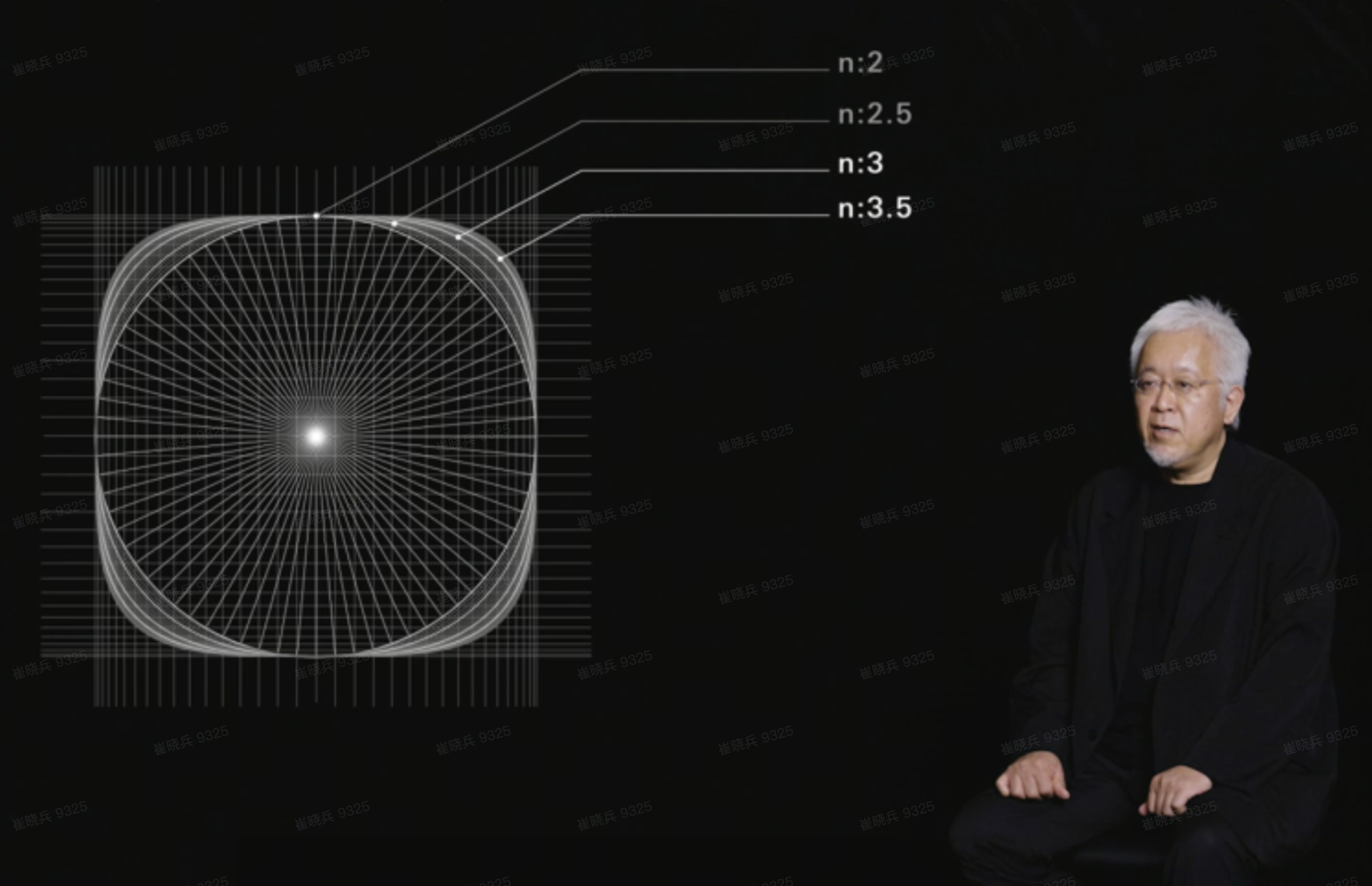
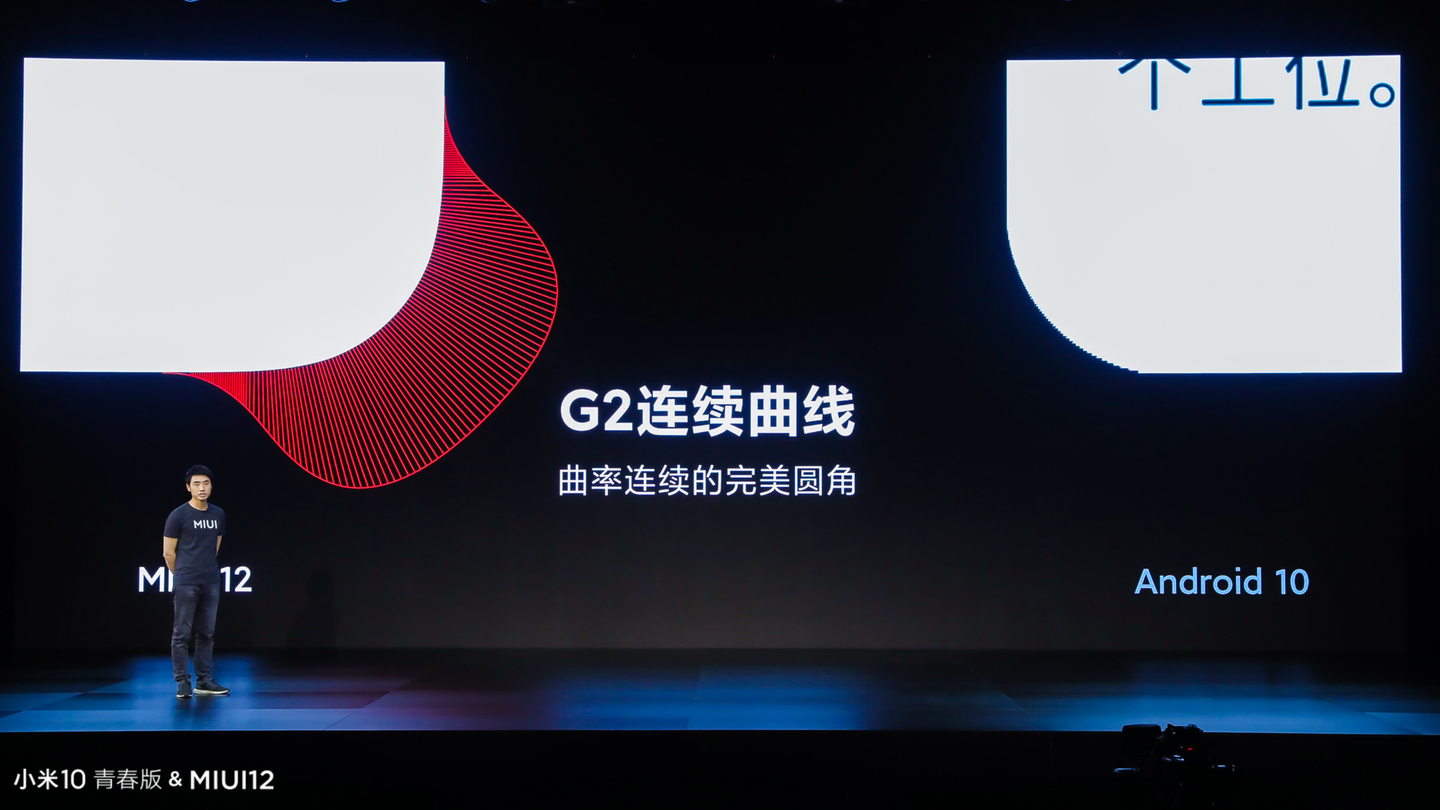
It is also worth noting that Xiaomi’s MIUI 12 rendering engine implemented what it called a “G2 continuous curve, curvature-continuous perfect rounded corner” (although the plot looks closer to a G3-continuous curve).
Is the iOS continuous corner icon an Euler spiral?
An Euler spiral is a curve whose arc length is
proportional to curvature. By definition, arc length
where
Assuming both initial values are 0, integration gives:
By definition, the tangent vector at each point on the spiral is:
If the starting point is the origin and the total spiral length is
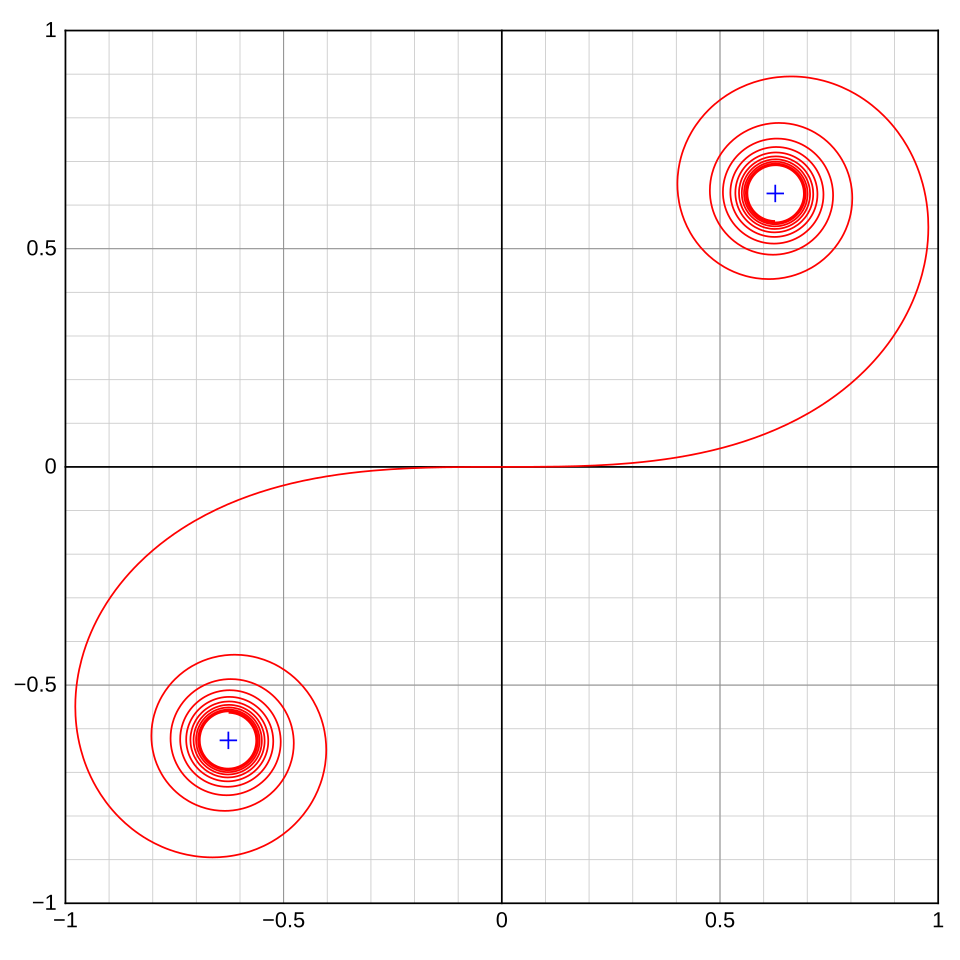
Euler spirals are often used in road and railway engineering to ease the curvature change between a straight segment and a circular arc. Their key property is that curvature starts from 0 and increases linearly with arc length, so the curve bends more sharply as it extends. When the spiral connects to a circle, the resulting curve can be curvature-continuous.
If we use two spiral segments with a circular arc in the middle to draw a rounded rectangle, two drawbacks appear:
- the entire curve is curvature-continuous, but the rate of curvature change is not;
- the curvature increase along an Euler spiral is linear, so although curvature has acceleration, its derivative is constant.
An Euler spiral can still fit iOS icon corners closely, but the evidence below suggests that Apple’s continuous corner is not simply an Euler spiral.
What Apple’s Patent Suggests
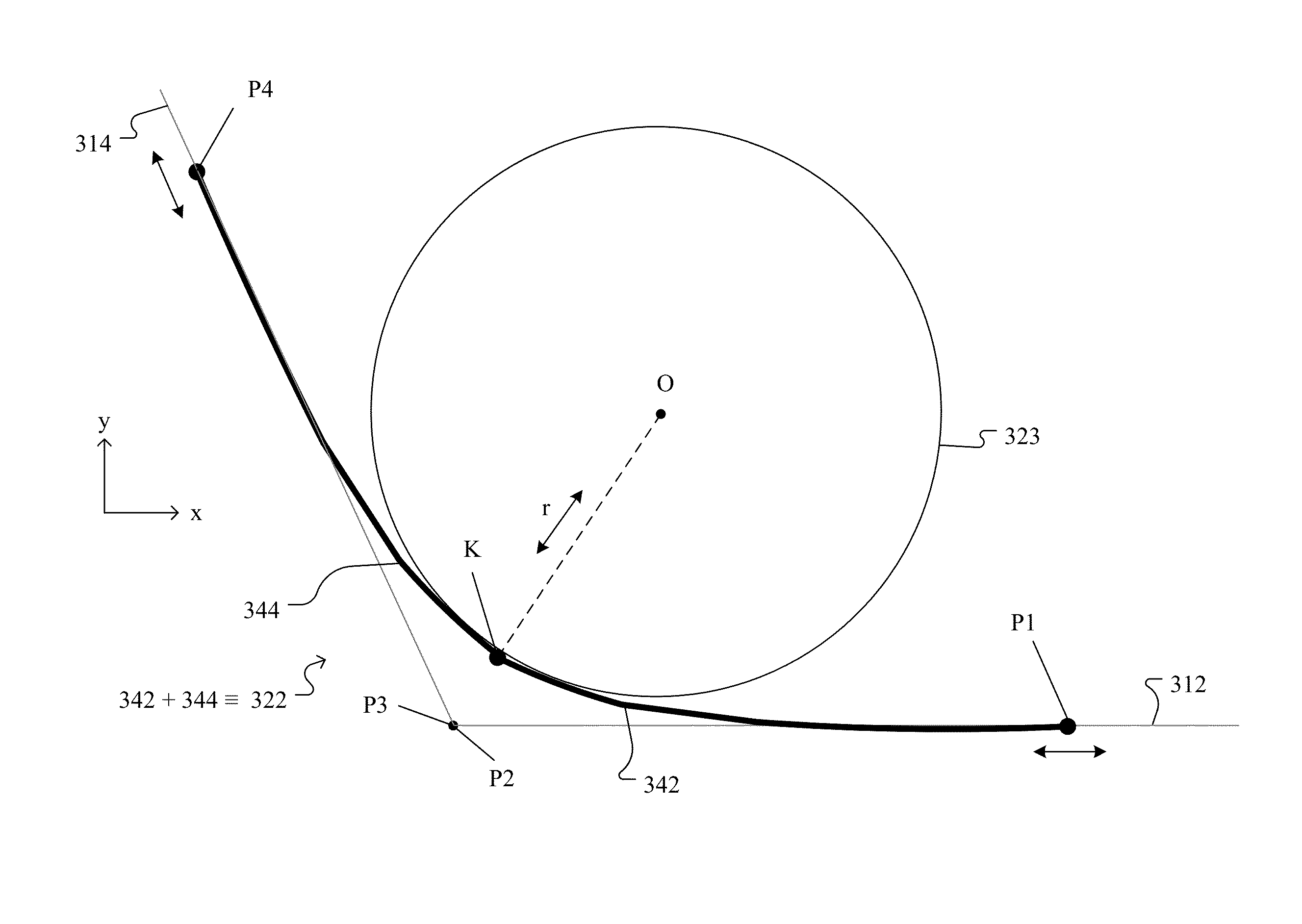
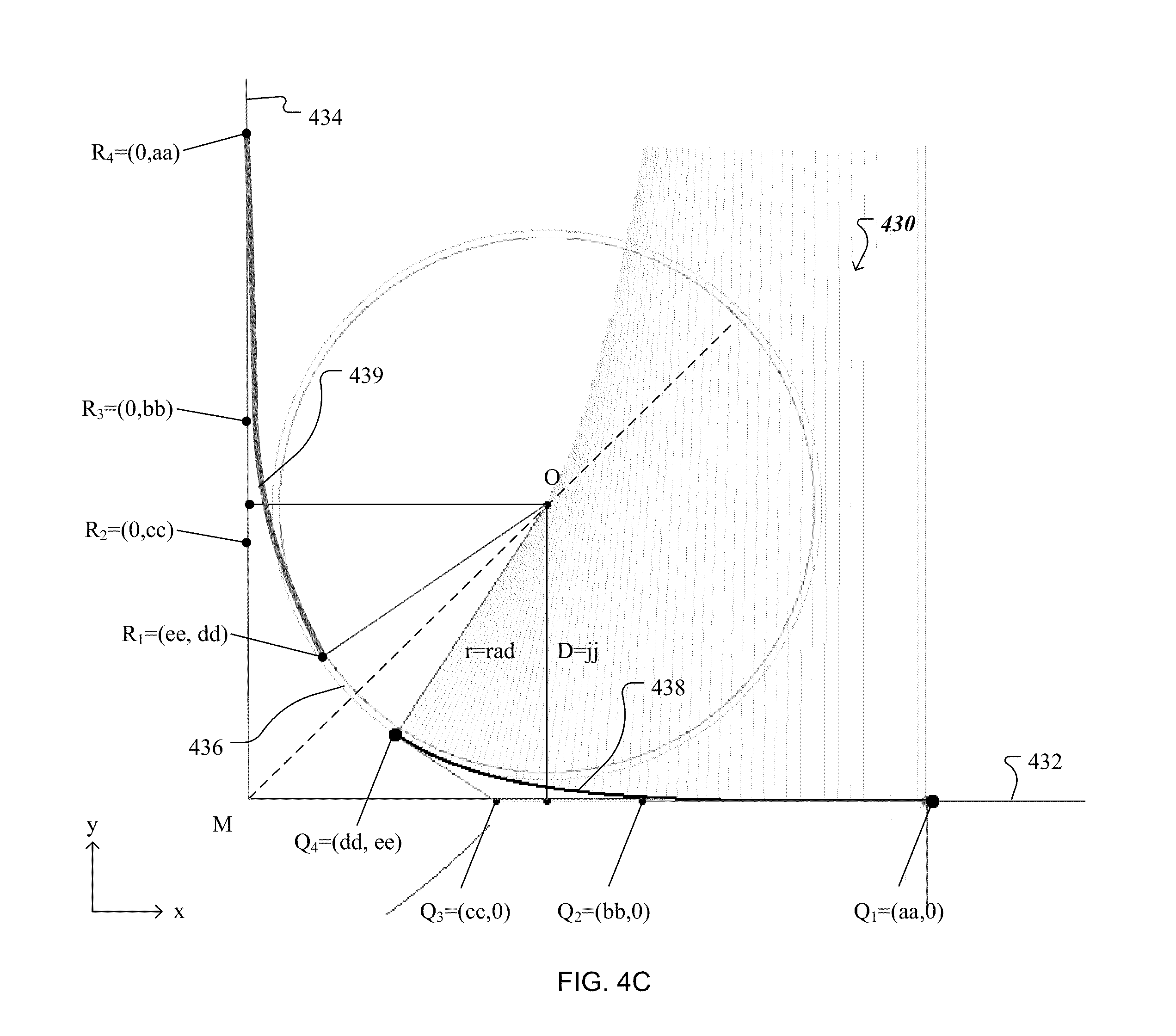
Former Apple interaction designer Bas Ording filed patent US9396565 in 2013. The patent is titled “Rendering Boundaries in User Graphical Interface Elements”.
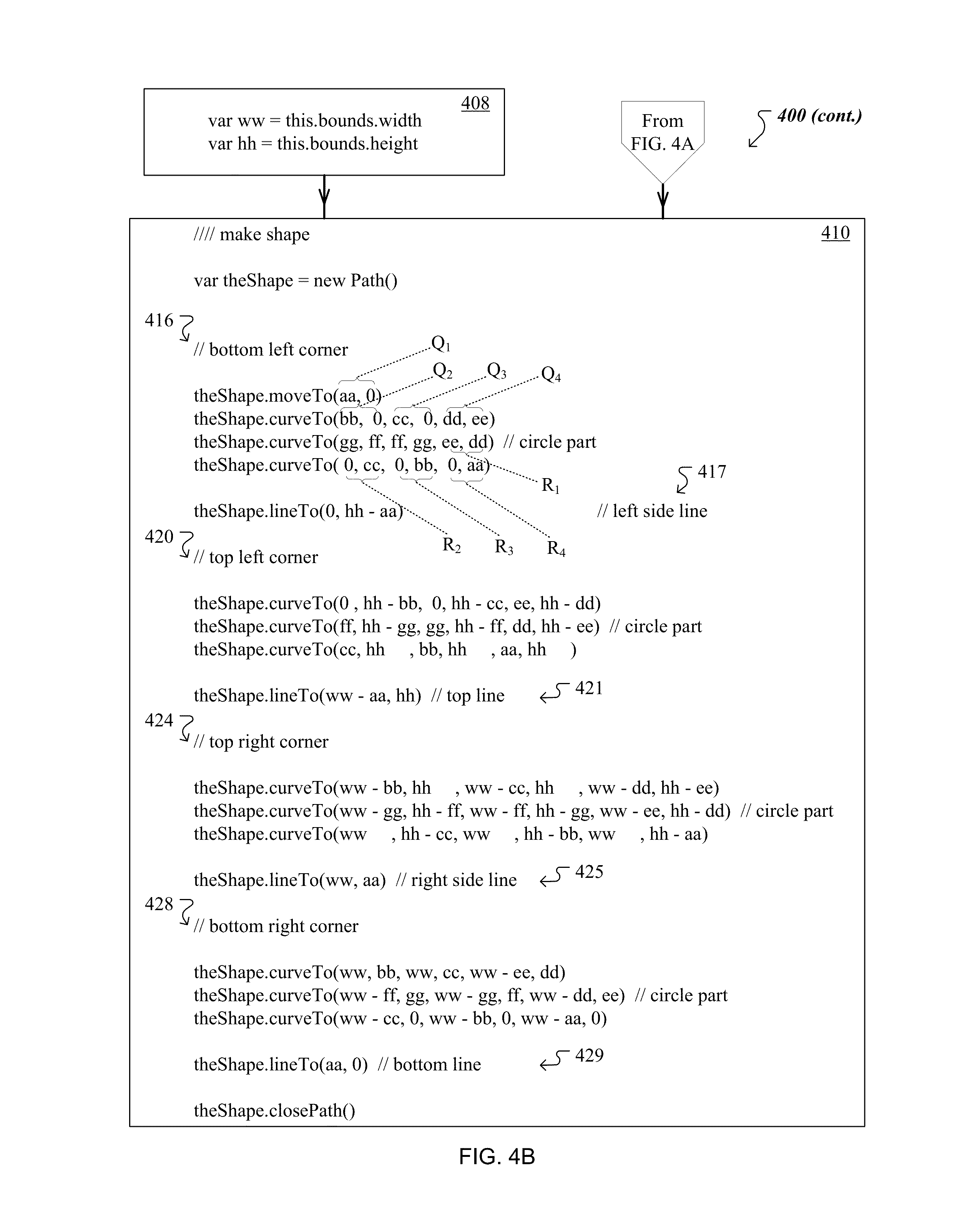
The patent suggests three useful constraints:
- an iOS continuous corner is built from two transition curves + one standard circular arc; the curvature is 0 where the transition curves meet the straight edges, then increases smoothly toward the common maximum curvature of the central arc, which keeps the corner fundamentally round;
- the corner shape can be abstracted with two key control
parameters: the corner radius
, which determines maximum curvature, and the transition ratio , which determines how much of the corner is used for smoothing; - the transition curves on both sides can be implemented with cubic Bezier curves or B-splines, and the full structure can be generated quickly by mirroring.
Deriving the Corner Geometry
With those constraints in mind, we can try to build a compatible model ourselves.
Basics
Curve continuity
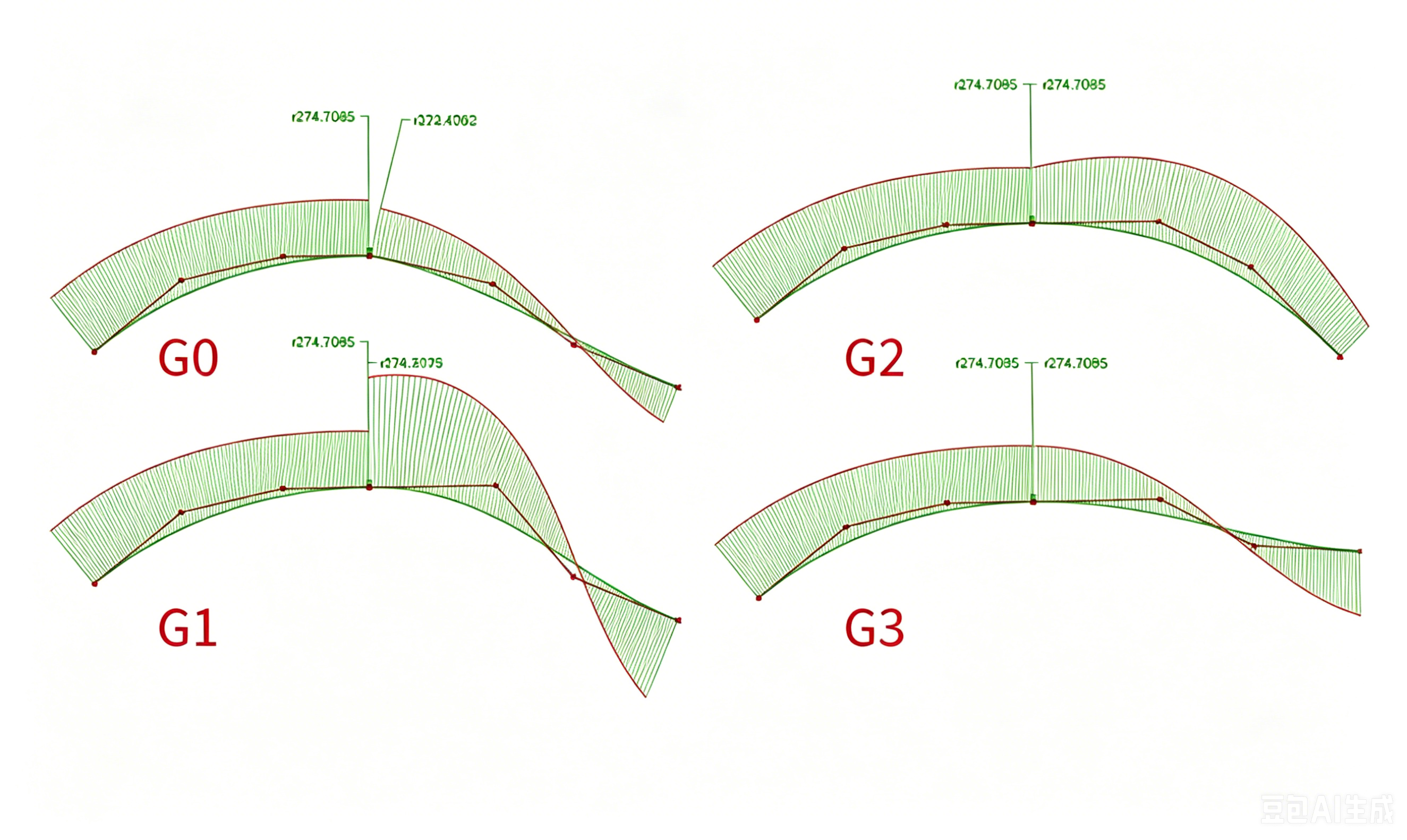
In computer graphics, curve continuity is commonly classified into several levels:
- G0 continuity (position continuity): the endpoints are the same;
- G1 continuity (tangent continuity): the endpoint tangent directions are the same;
- G2 continuity (curvature continuity): the endpoint curvature is continuous;
- G3 continuity (curvature-derivative continuity): the first derivative of curvature is continuous.
Curvature
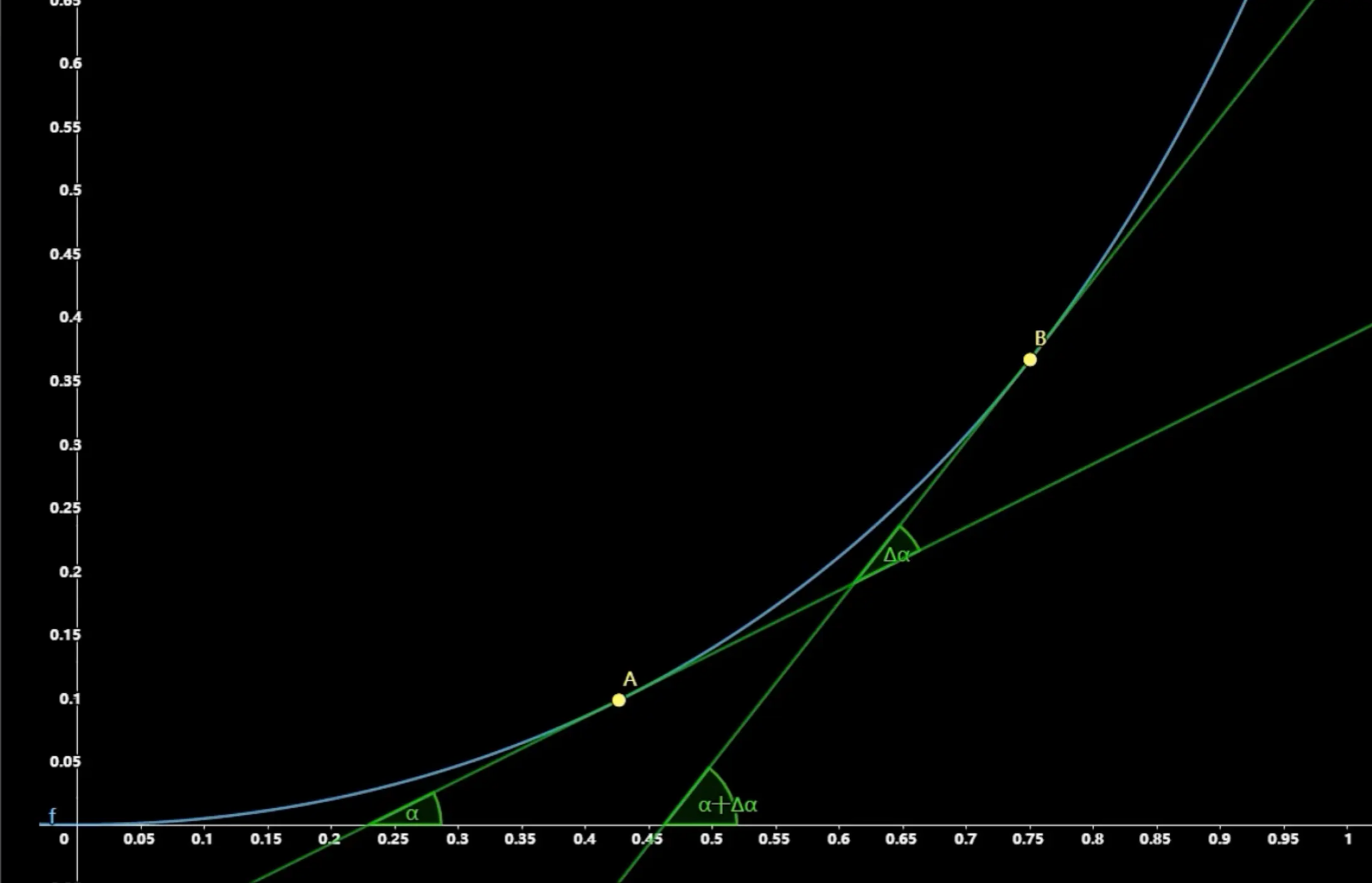
Curvature measures how sharply a curve bends.
For a curve
For a circle, curvature is simply the reciprocal of the radius:
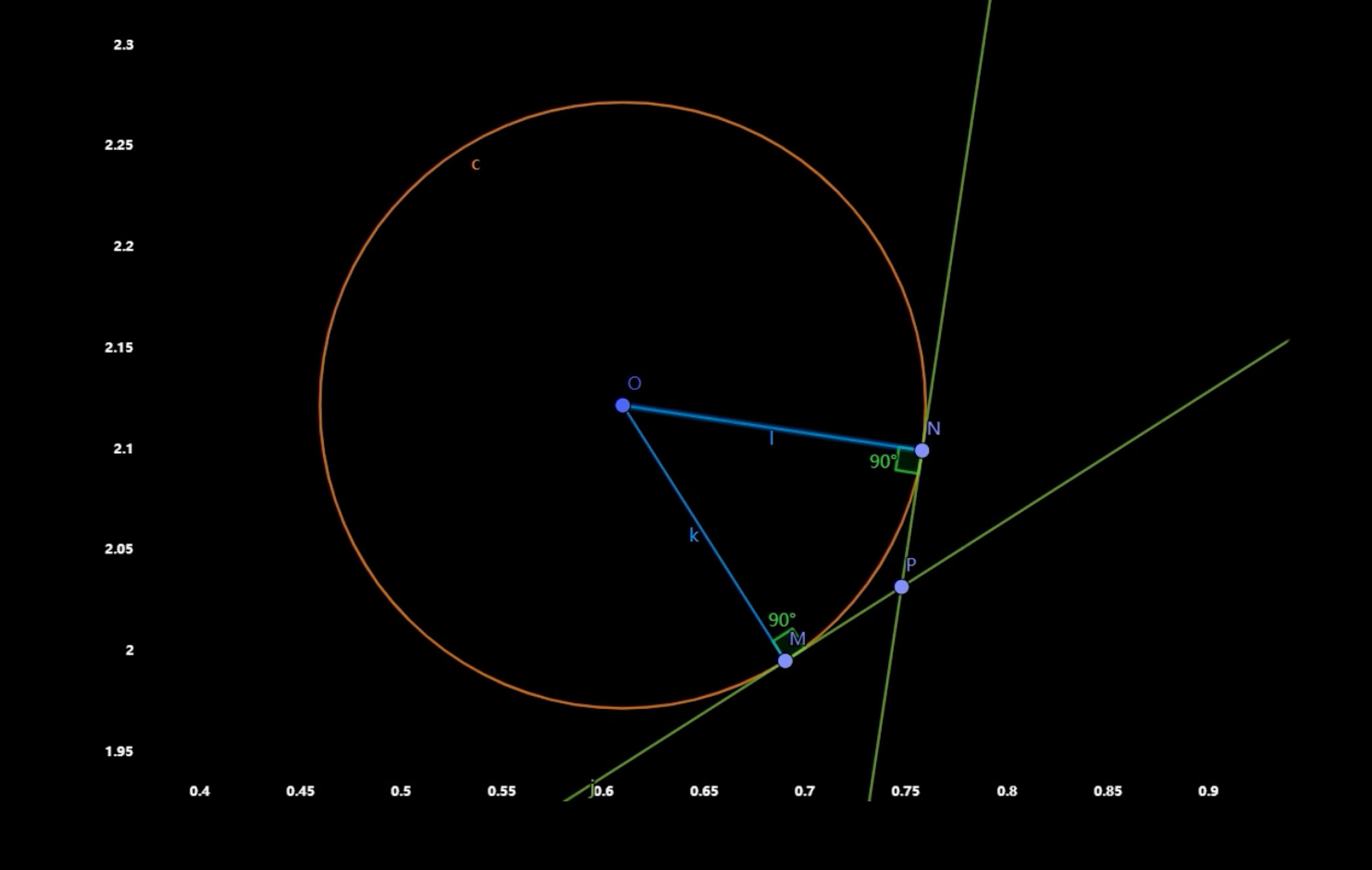
Curvature circle & curvature comb
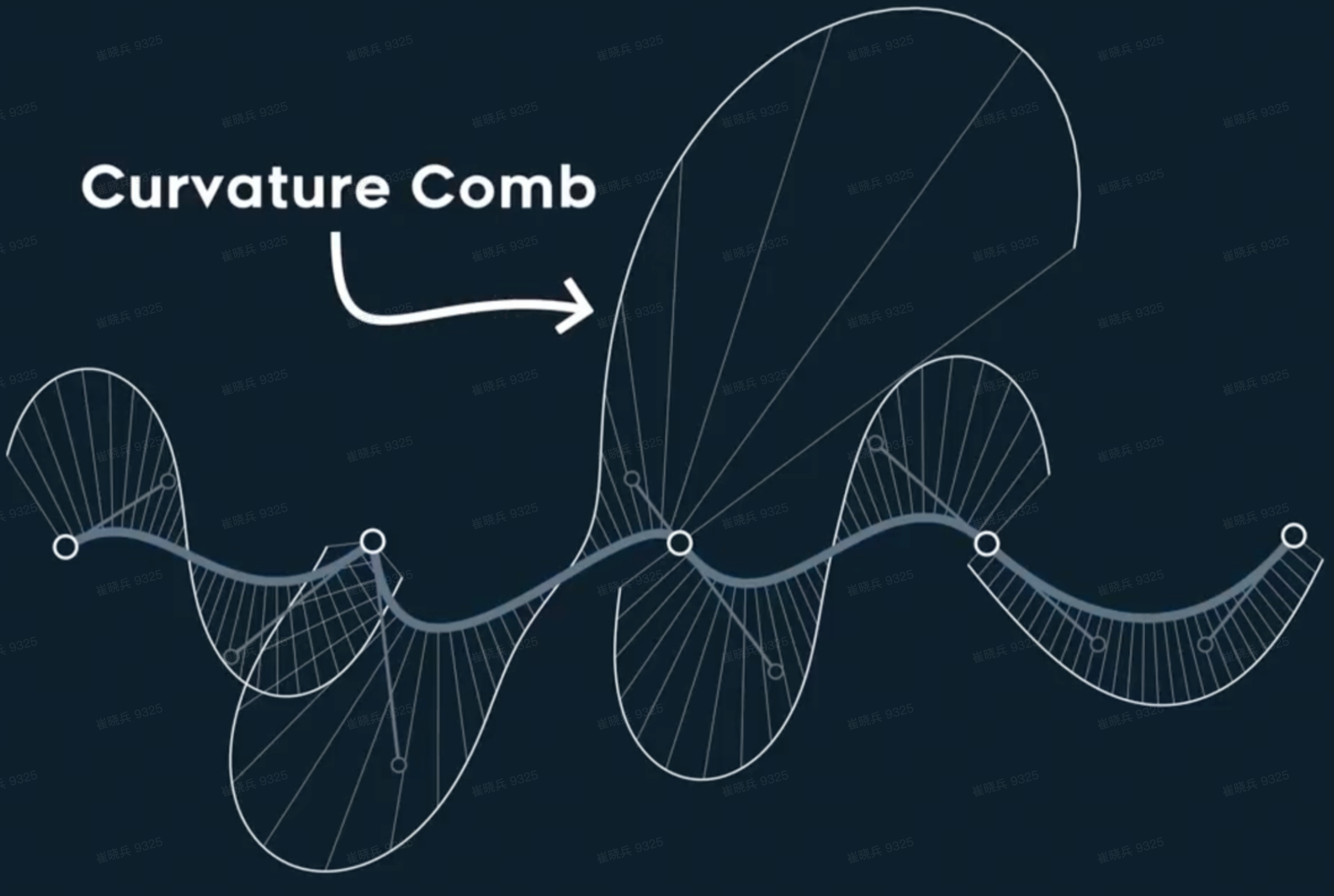
A related pair of tools is the curvature circle and the curvature comb. The curvature radius is the reciprocal of curvature. At any point on a curve, the curvature circle is the circle that shares the same tangent and curvature direction at that point. A curvature comb visualizes the same idea: sharper bends produce taller comb teeth, while flatter regions produce shorter ones.
Model
Overall idea
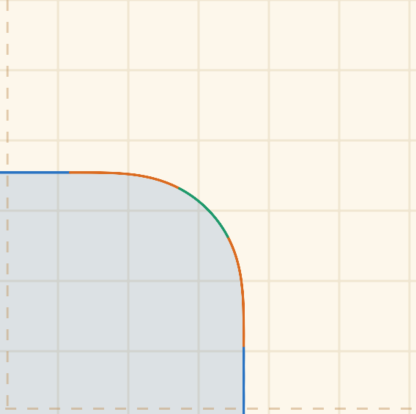
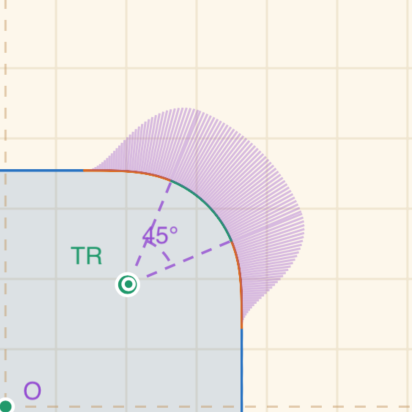
A rounded rectangle can be decomposed into five segments: a horizontal straight line (blue), a transition curve (orange), a circular arc (green), another transition curve (orange), and a vertical straight line (blue). Each corner always turns by 90 degrees. The circular arc takes part of that angle, while the remaining angle is split equally between the two transition curves. In other words, the corner still completes a quarter turn; only the ratio between the arc and the smoothing segments changes.
The curvature of the straight segment is:
The curvature of the circular arc is:
The transition curve is responsible for moving curvature smoothly
from
Curvature integral
The orange transition curve can be generated with numerical integration. Instead of drawing the segment in one step, we split it into many small steps and update the heading at each step. The Euler spiral construction provides a useful reference.
The animation comes from: Introduction to Euler spirals and “fractal spirals”
Each sampled point tracks four values:
| parameter | description |
|---|---|
| point coordinates | |
| tangent angle at the point | |
| curvature at the point | |
| curve length from the start point |
These values satisfy:
Once the curvature function
1 | theta += currentK * step; |
The transition length then follows from:
From the relationship above, the turning angle satisfies:
The total angle covered by a transition curve is therefore:
In the smoothstep3 model, the transition curvature rises smoothly
from 0 to the circular-arc curvature
where
Its average value on [0, 1] is:
The average curvature of the transition curve is:
Substituting this into the angle integral:
which gives:
Arc center
Once the transition curve is generated, it can be connected to a
standard circular arc. A common but incorrect assumption is that the arc
center can be obtained by adding or subtracting the corner radius
From the previous section, the transition curve turns through angle
Tangent direction:
Normal direction:
The arc center is therefore:
Expanded:
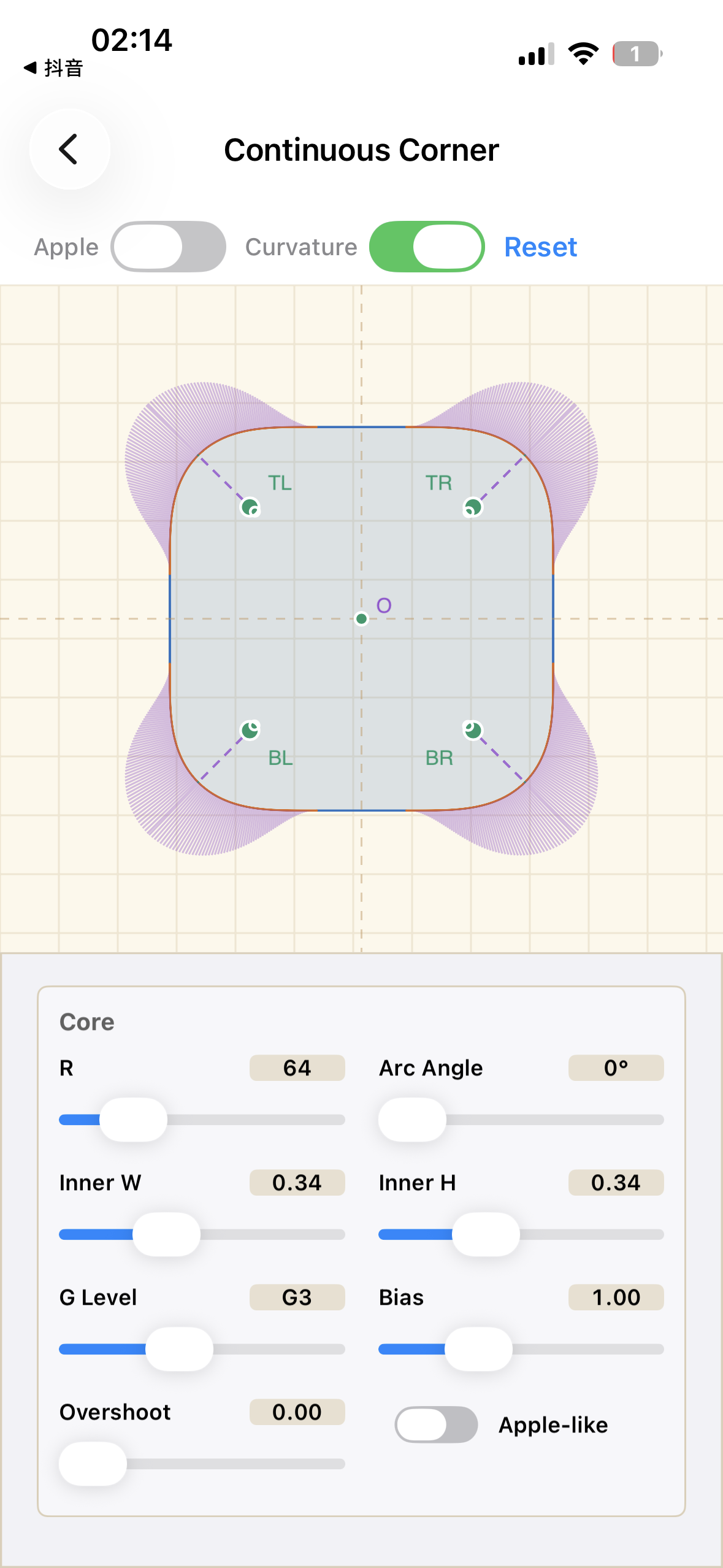
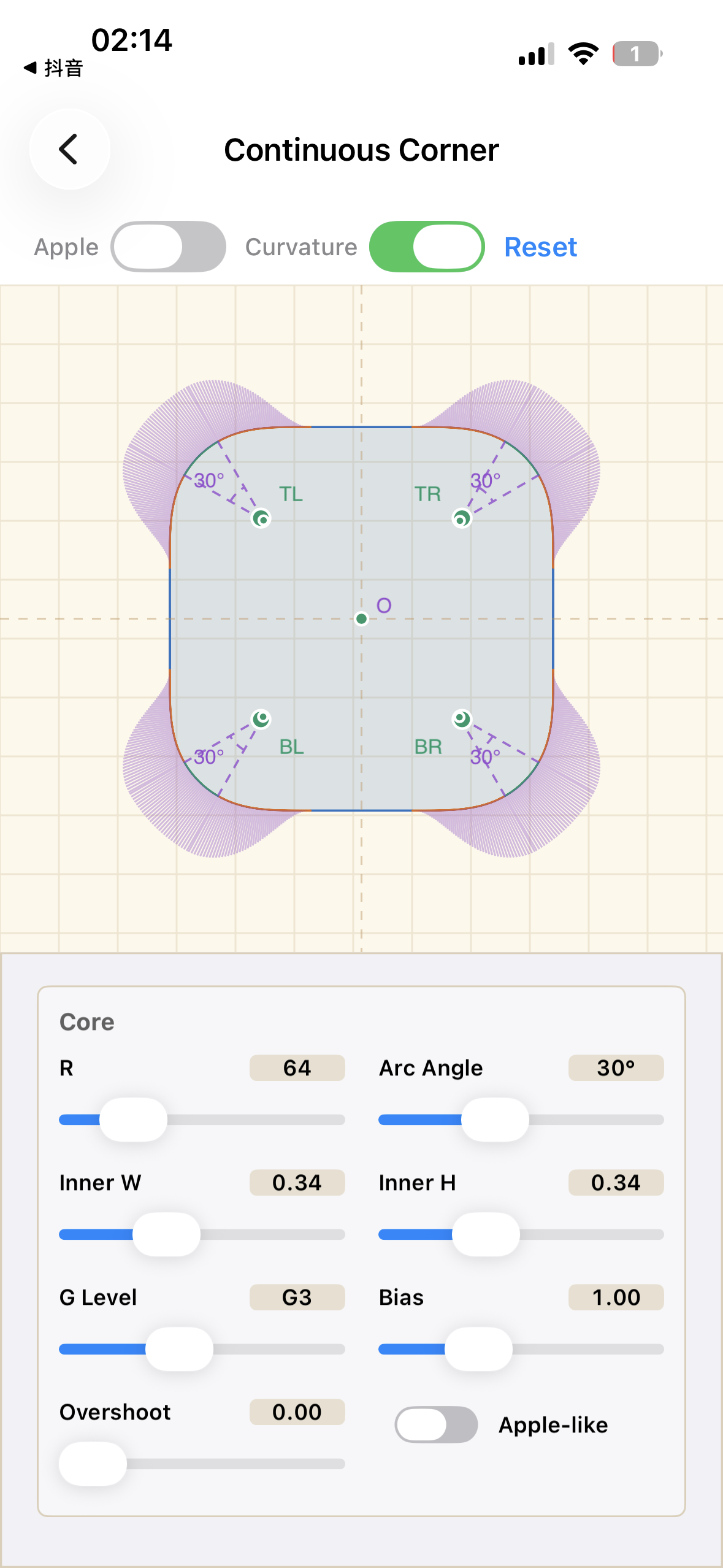
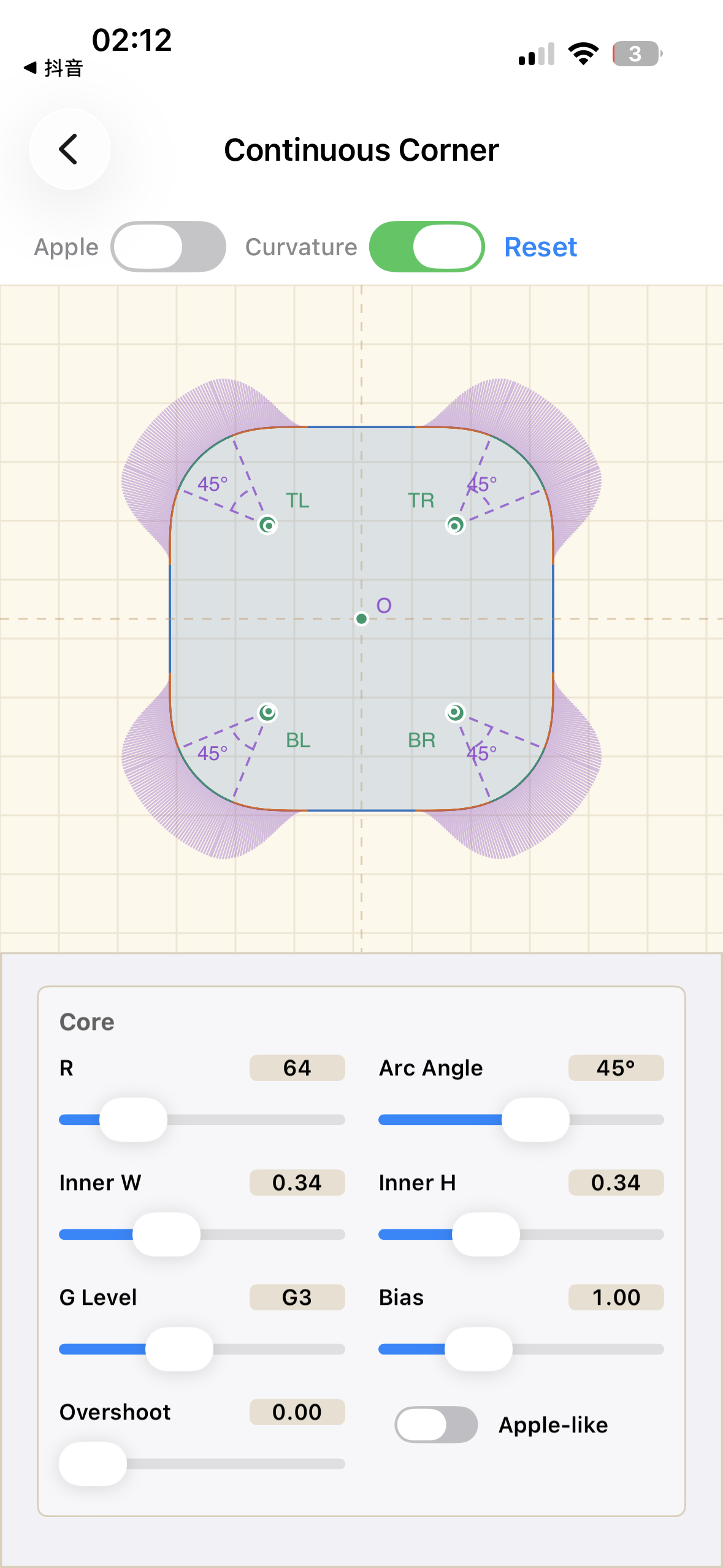
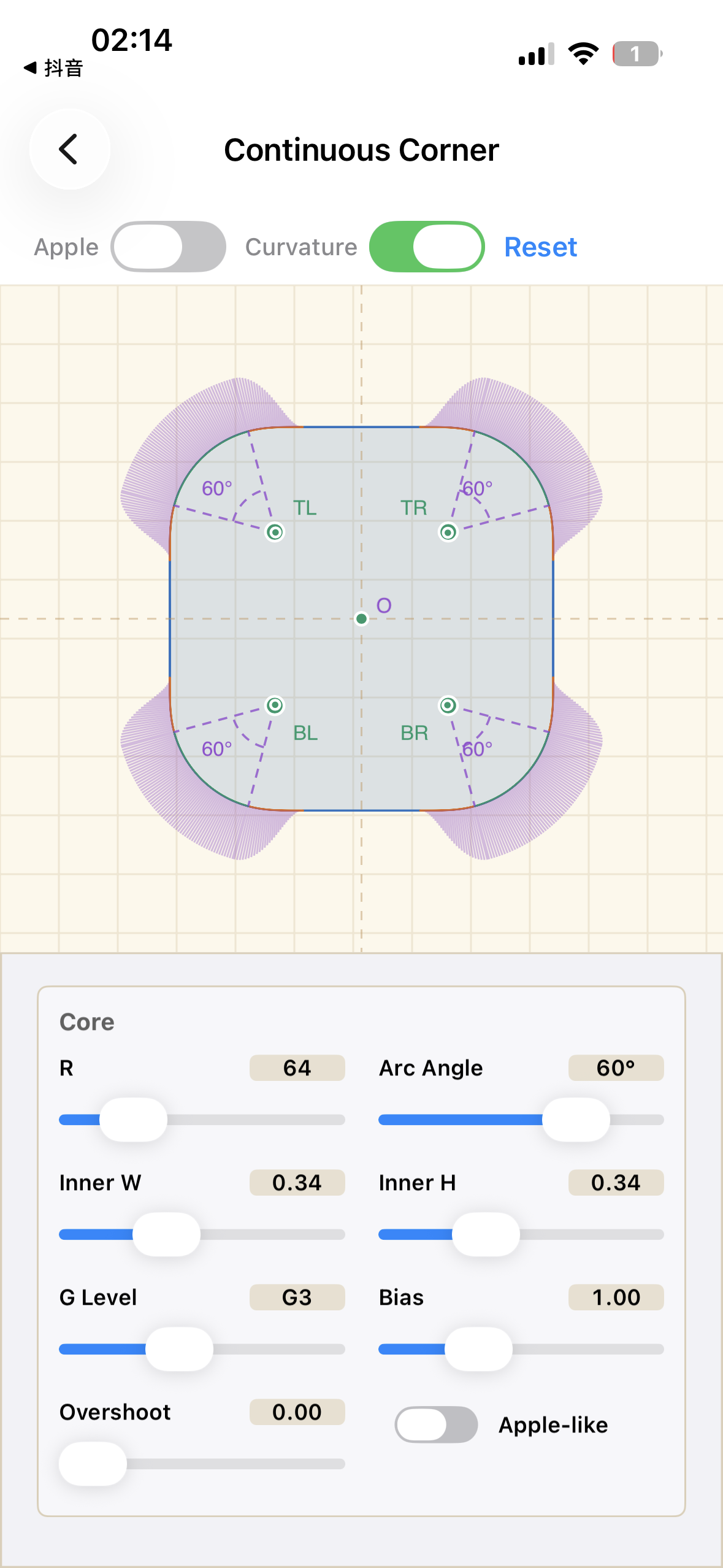
In the diagram, the small green dot is the actual arc center, while the large green dot is the center one would get from the regular rounded-corner assumption. For a continuous corner, the arc center is not fixed in the same way as a standard rounded rectangle.
G1 ~ G4
| level | smoothstep | polynomial | note |
|---|---|---|---|
| G1 | smoothstep0 | tangent continuous, curvature may jump | |
| G2 | smoothstep1 | curvature continuous | |
| G3 | smoothstep3 | curvature-derivative continuous | |
| G4 | smoothstep5 | second derivative of curvature continuous |
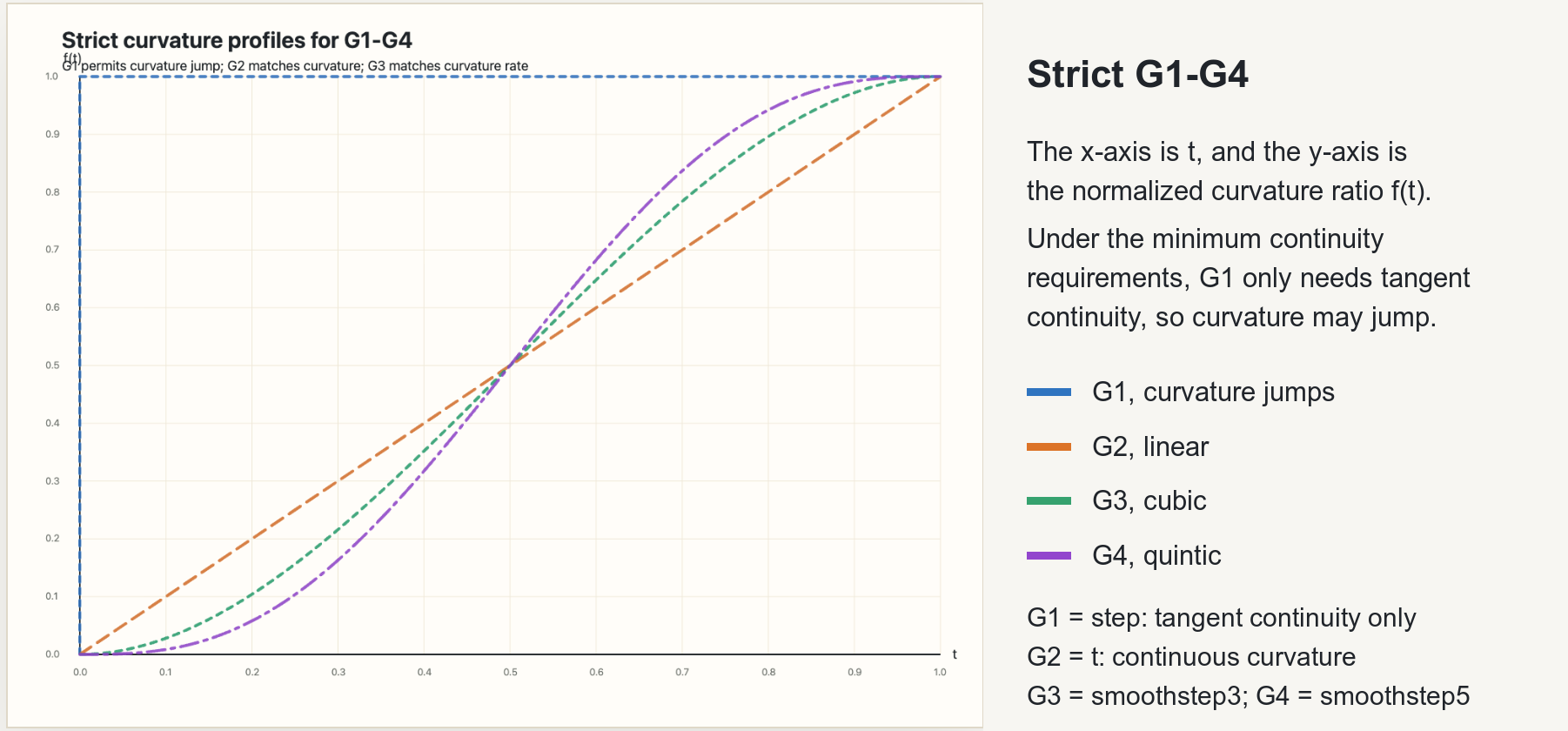
Curvature comb diagram:
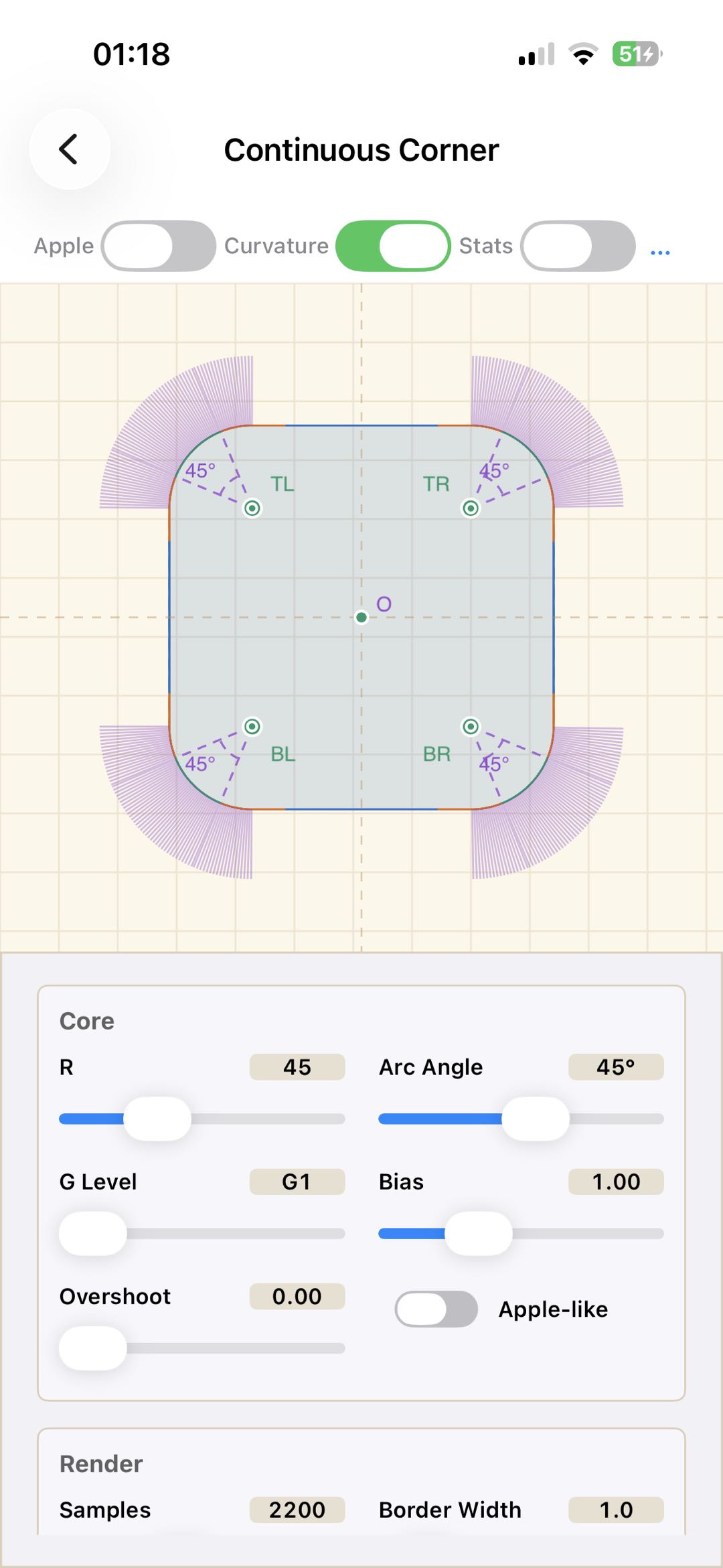
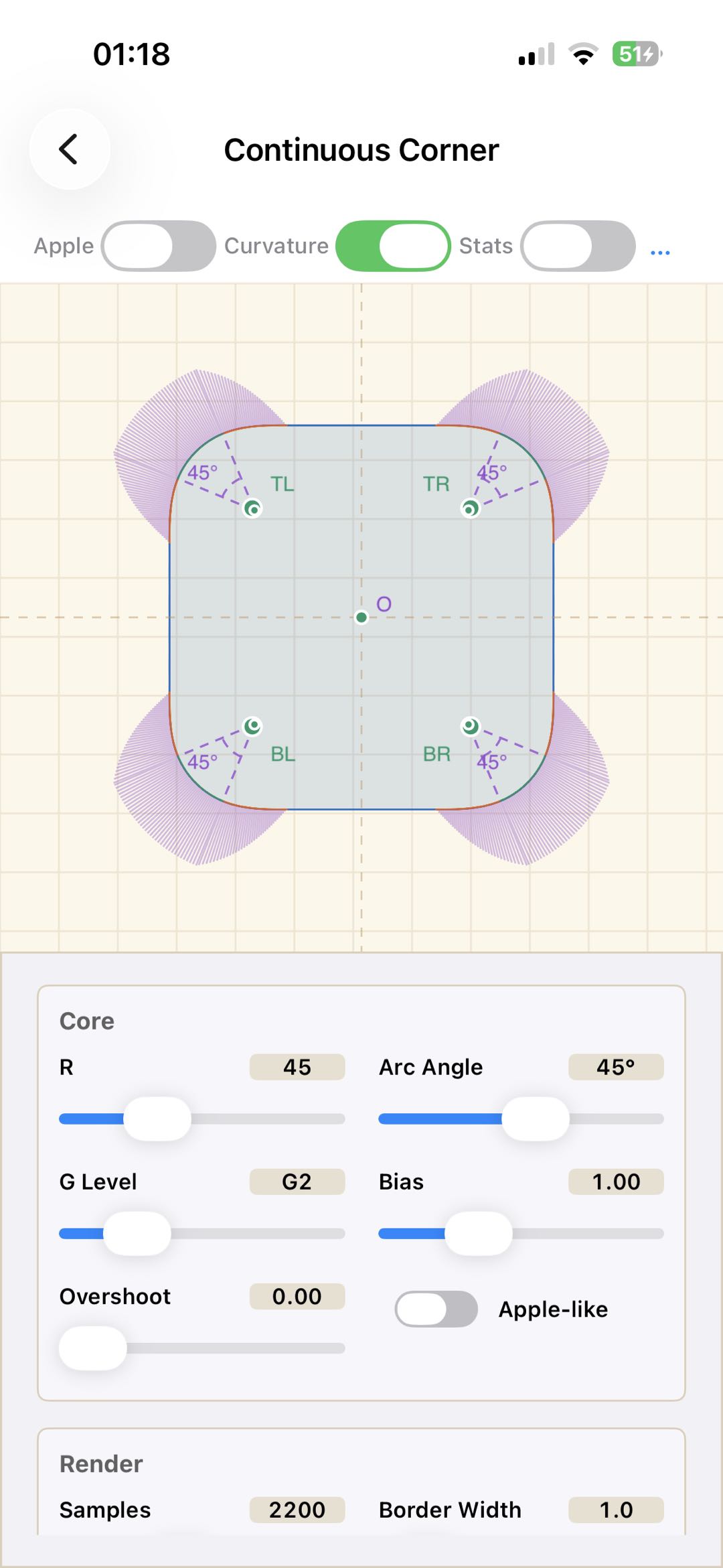
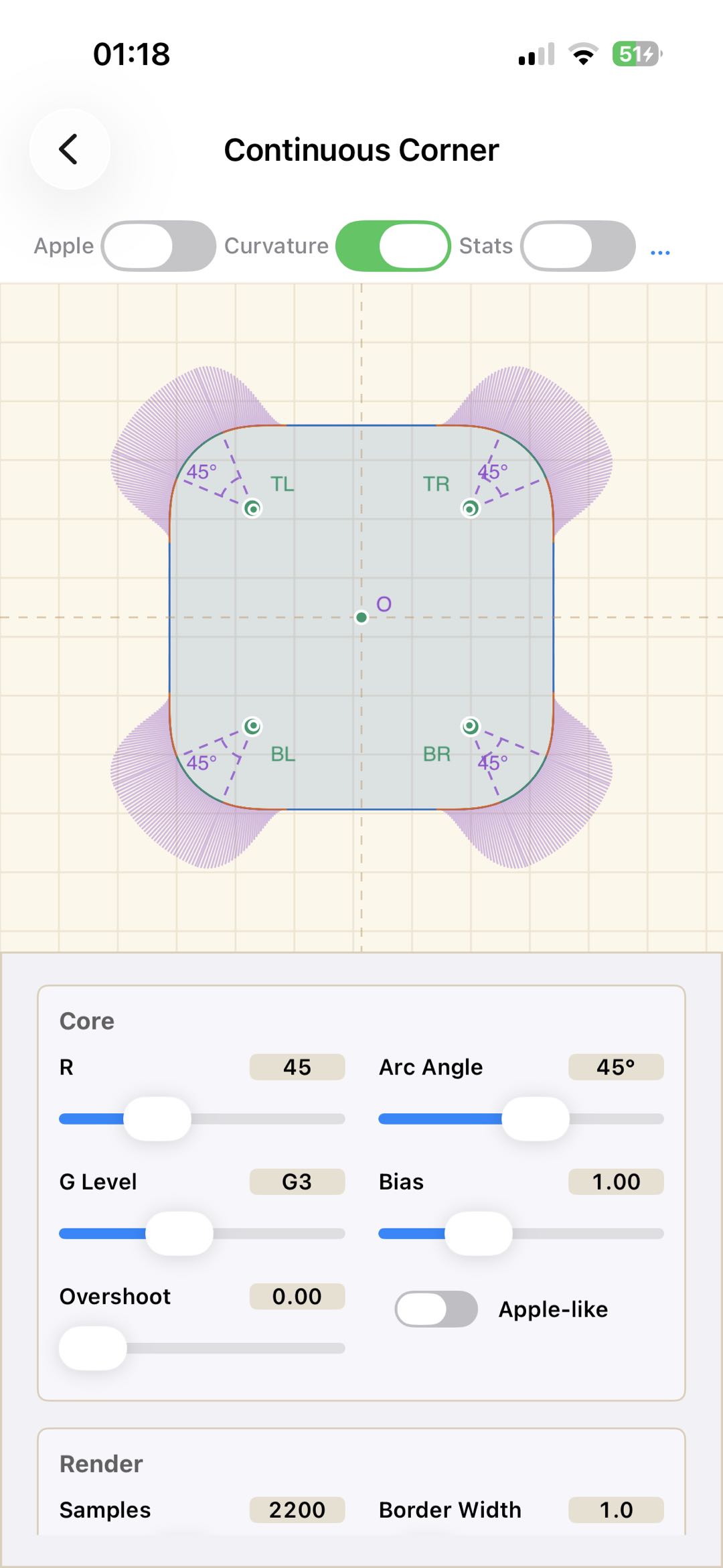
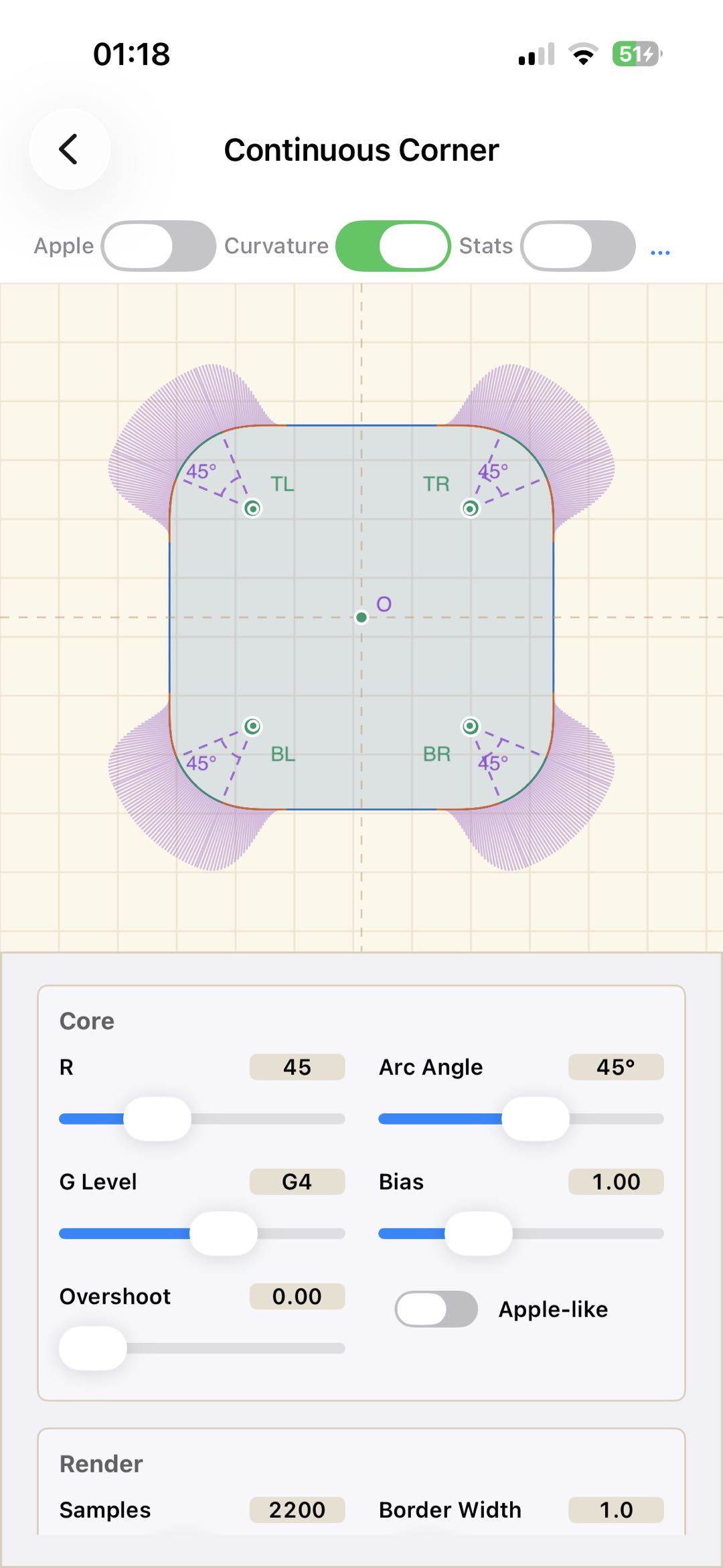
This also explains why the iOS continuous corner is unlikely to be a pure Euler spiral: an Euler spiral is curvature-continuous, but its curvature derivative is not continuous. That corresponds to G2 continuity. If Apple is targeting a smoother G3 or G4 transition, a plain Euler spiral is not enough.
smoothstep
smoothstep is one of the most common interpolation
functions in GLSL. It creates a smooth transition between two values and
is often used in rendering, for example for soft gradients in
shaders.
Let’s derive smoothstep5:
For a G4-level curvature transition, the usual constraints are:
These constraints make the curvature, the curvature derivative, and the second derivative of curvature continuous at the endpoints.
Substituting the left endpoint:
So:
Substituting the right endpoint:
Solving this system:
gives:
Bias
bias shifts the curvature distribution. It does not
change the target curvature
Different bias values produce different bending rhythms:
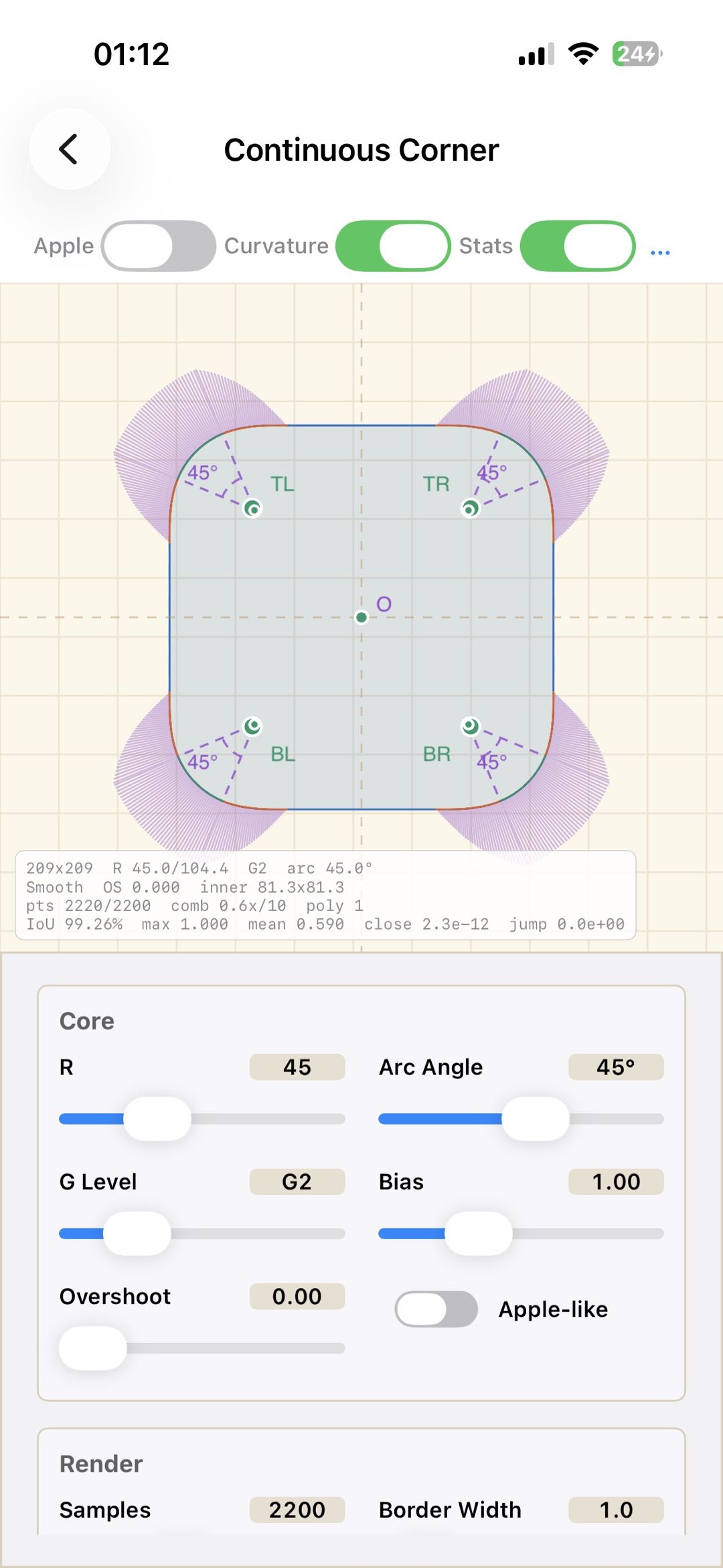
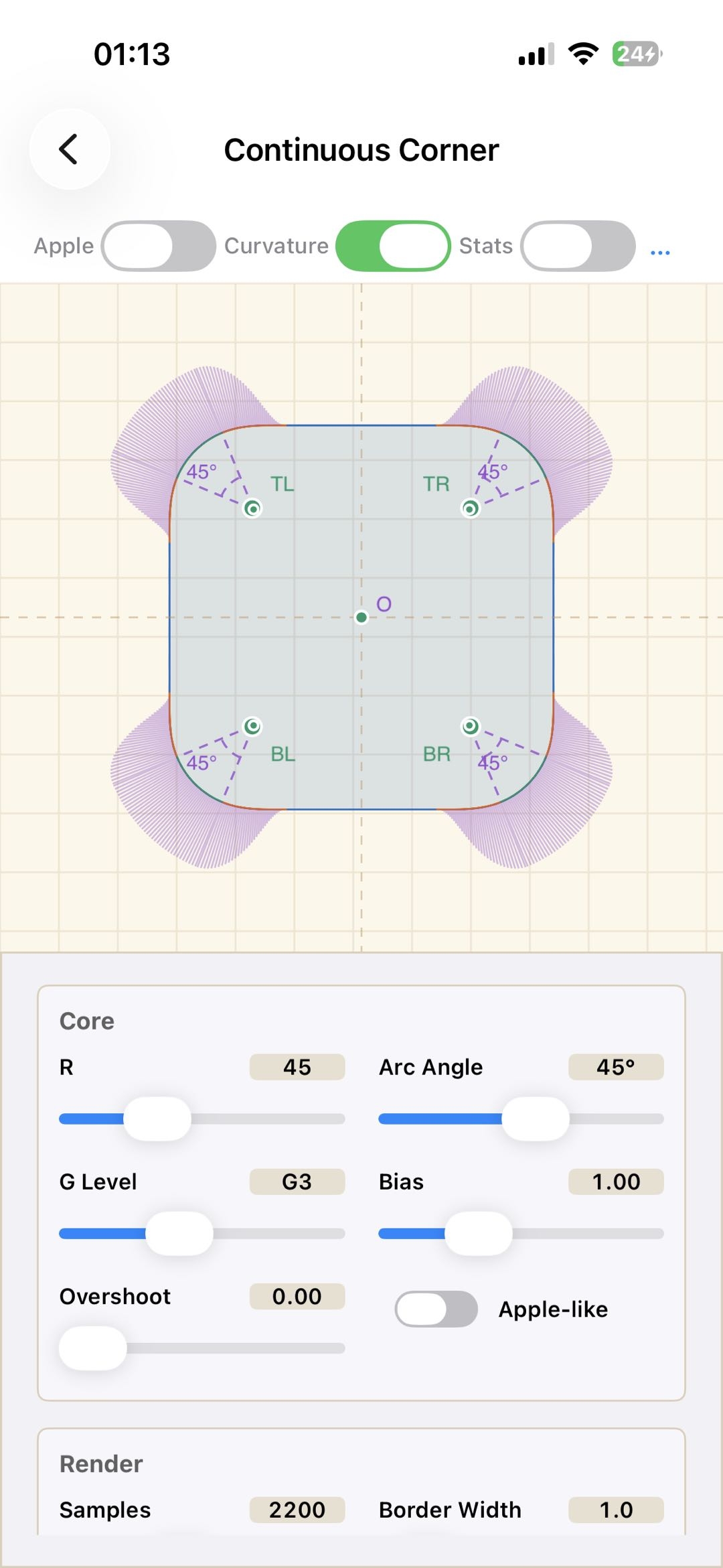
- bias = 1: the curvature transition is symmetric, and the curvature moves evenly from the straight segment to the circular arc;
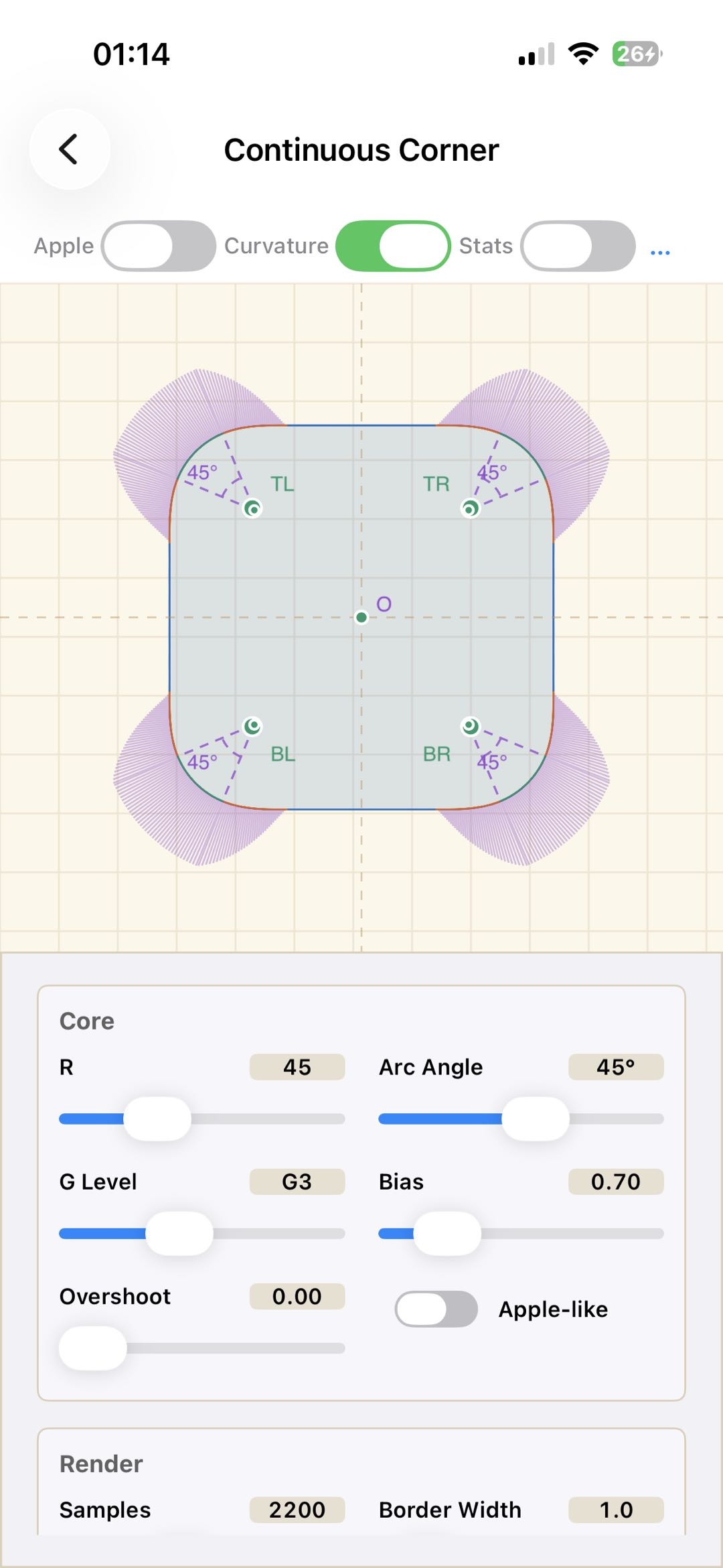
- bias < 1: the curve bends earlier, and curvature rises faster in the first half;
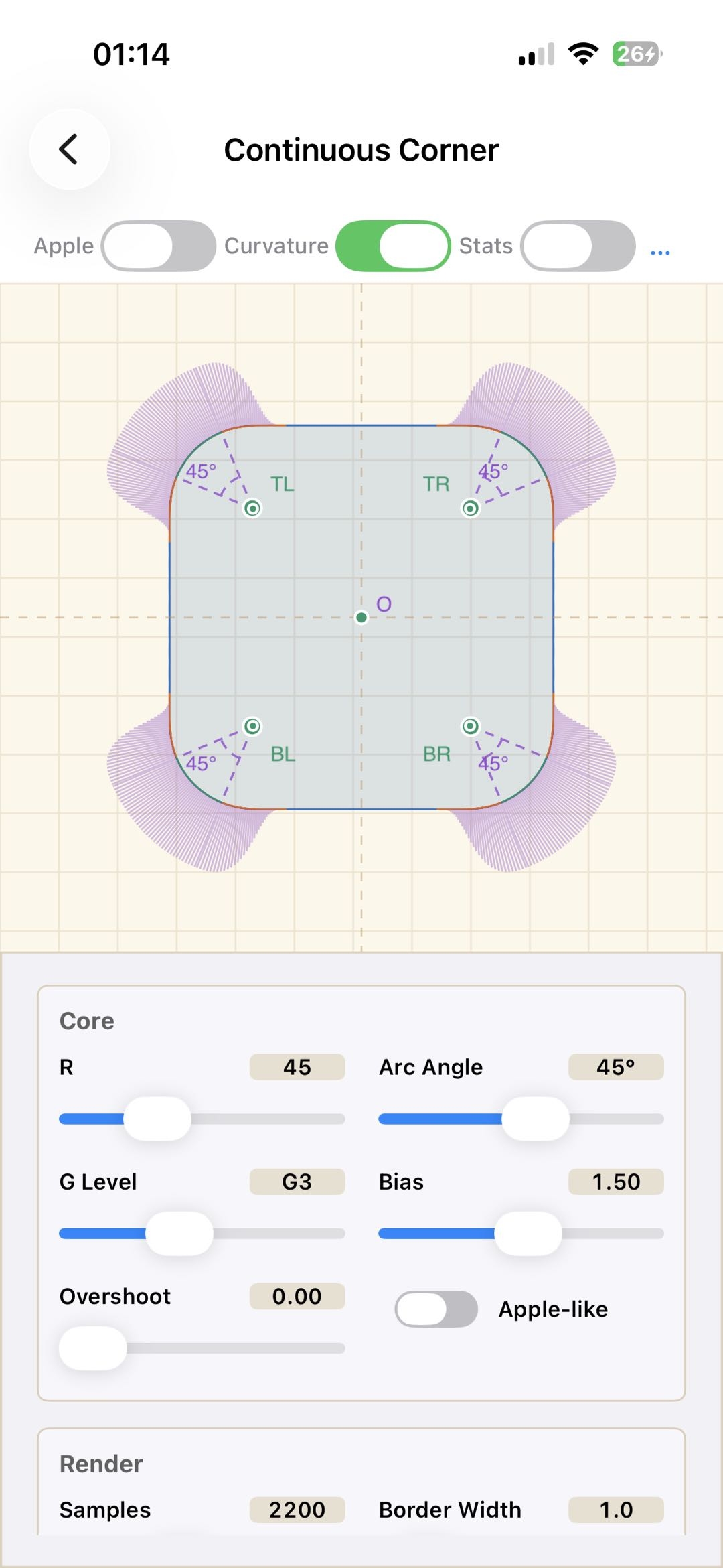
- bias > 1: the first half stays flatter, and curvature rises sharply later, closer to the arc shape.
The practical differences are easy to see:
- G2 + bias 1.0: curvature is continuous and the transition is direct;
- G3 + bias 1.0: curvature changes smoothly and symmetrically;
- G3 + bias 0.8: the bend starts earlier while keeping a soft transition;
- G3 + bias 1.6: the front half is flatter and the back half rises quickly toward the arc.
Additional Measurement
In the experiments, several cases still deviated from Apple’s output. That suggested the patent description may not fully match the current implementation, especially since the patent is already more than a decade old. To check this, I measured Apple’s continuous corners again.
The measurement process is as follows: sample the boundary
outline of Apple’s continuous corner, extract the upper-right contour,
resample it uniformly by arc length s, and compute the
curvature k(s) at each position from three adjacent points.
The stable plateau in the middle is treated as the standard circular-arc
segment, whose curvature is approximately 1/R.
Measuring Apple continuous corners
- Fixed width and height, varying corner radius
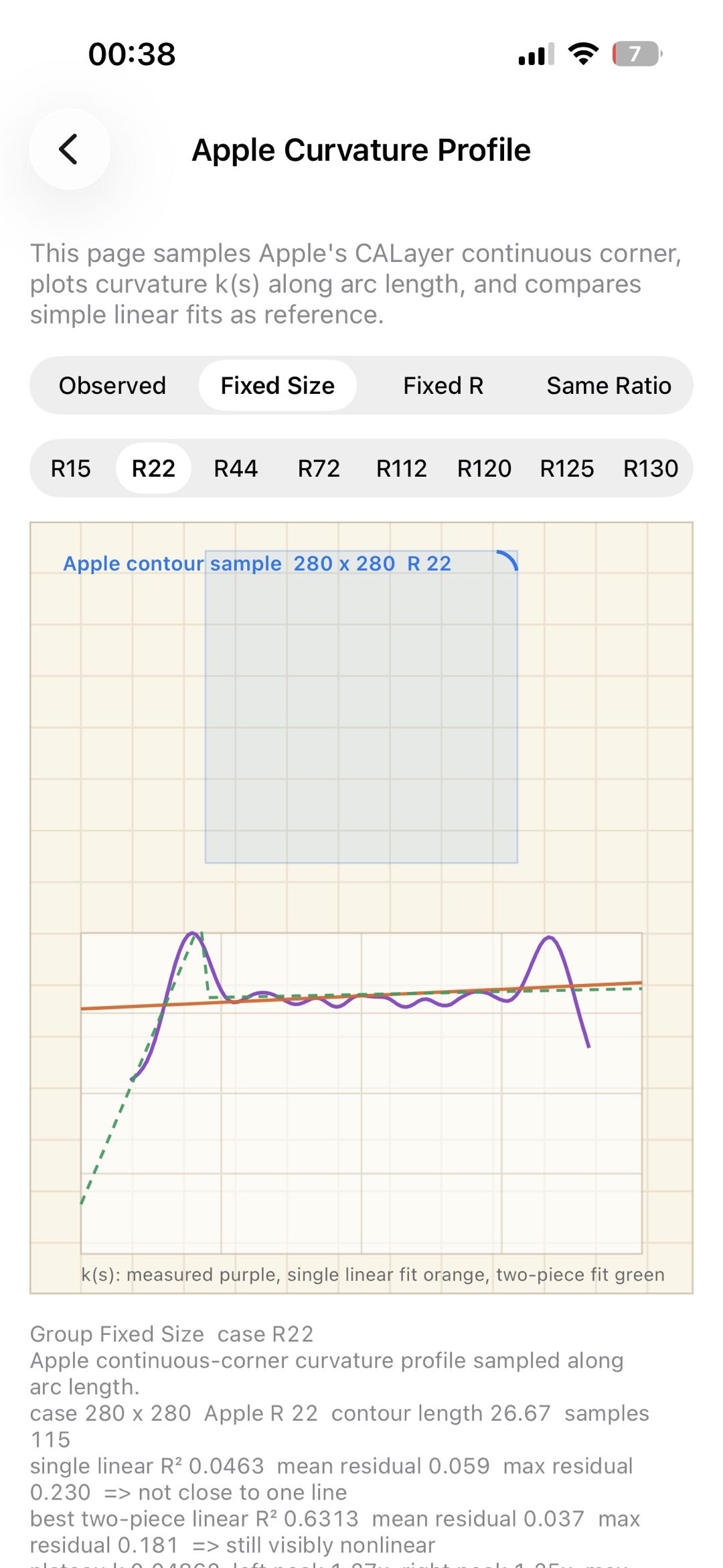
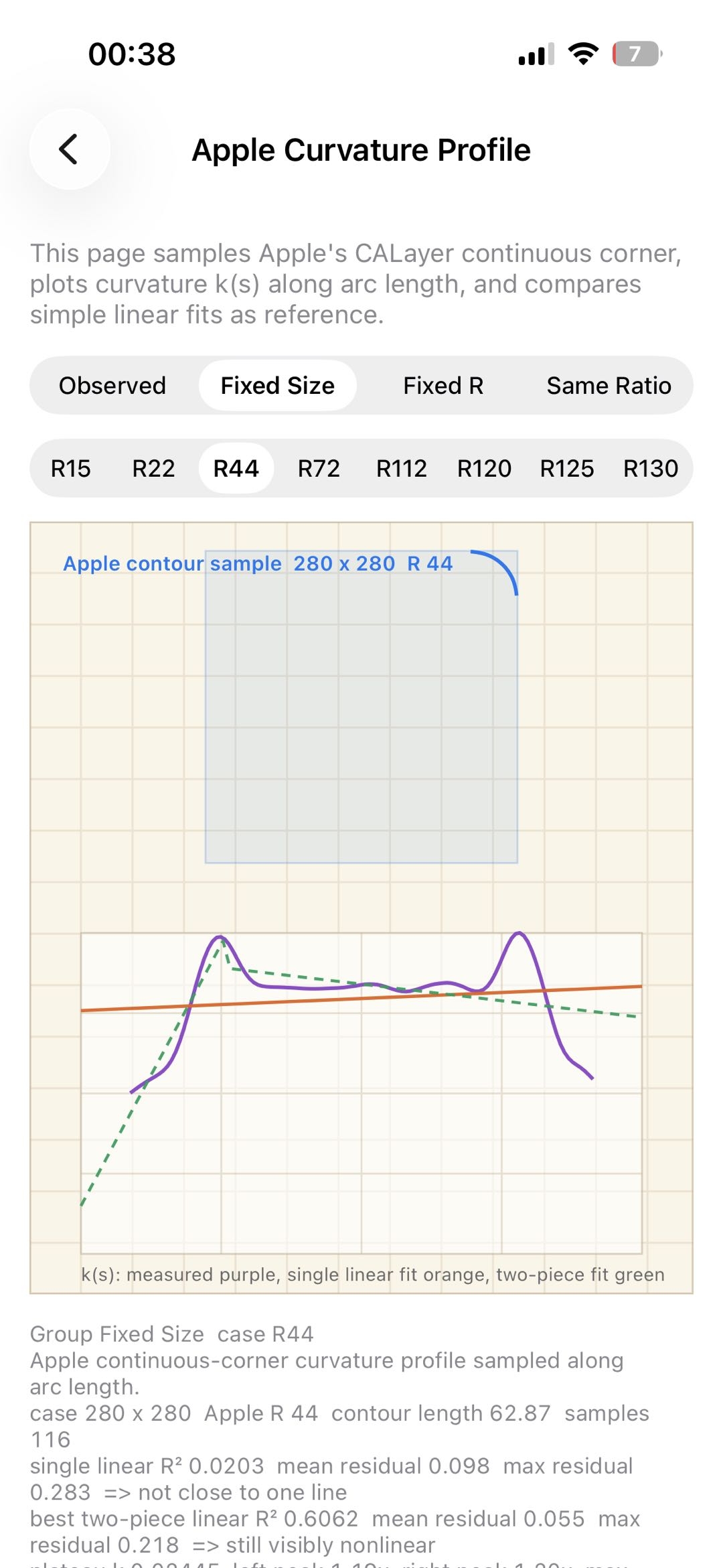
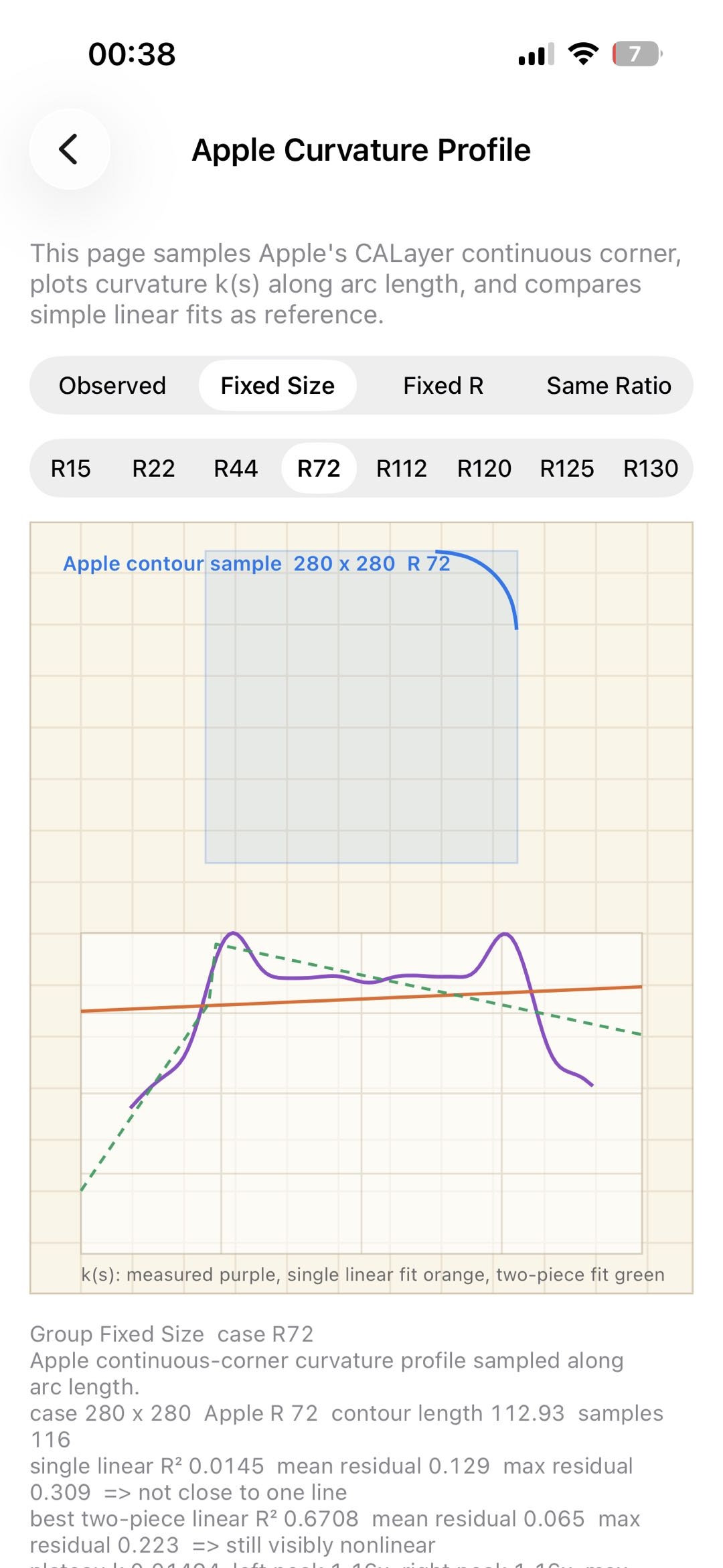
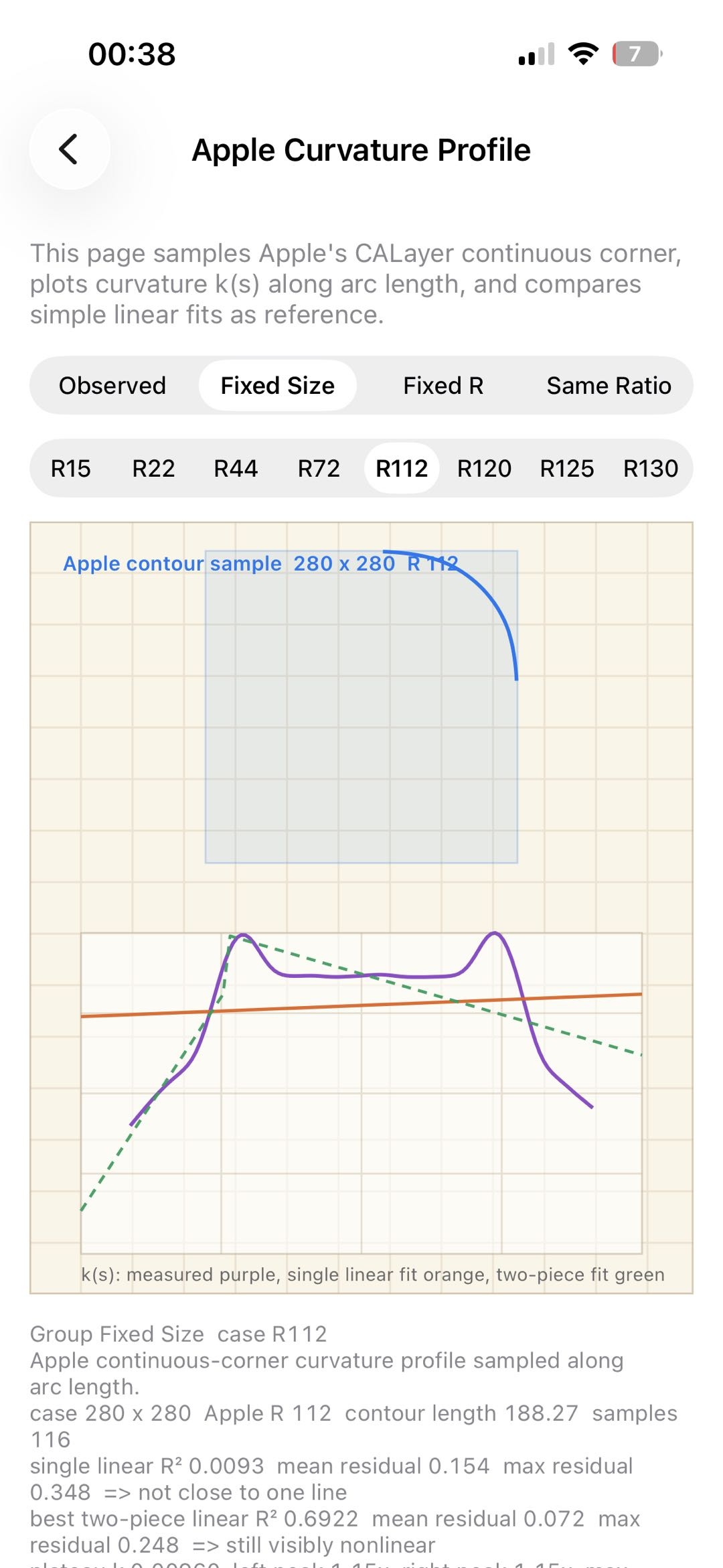
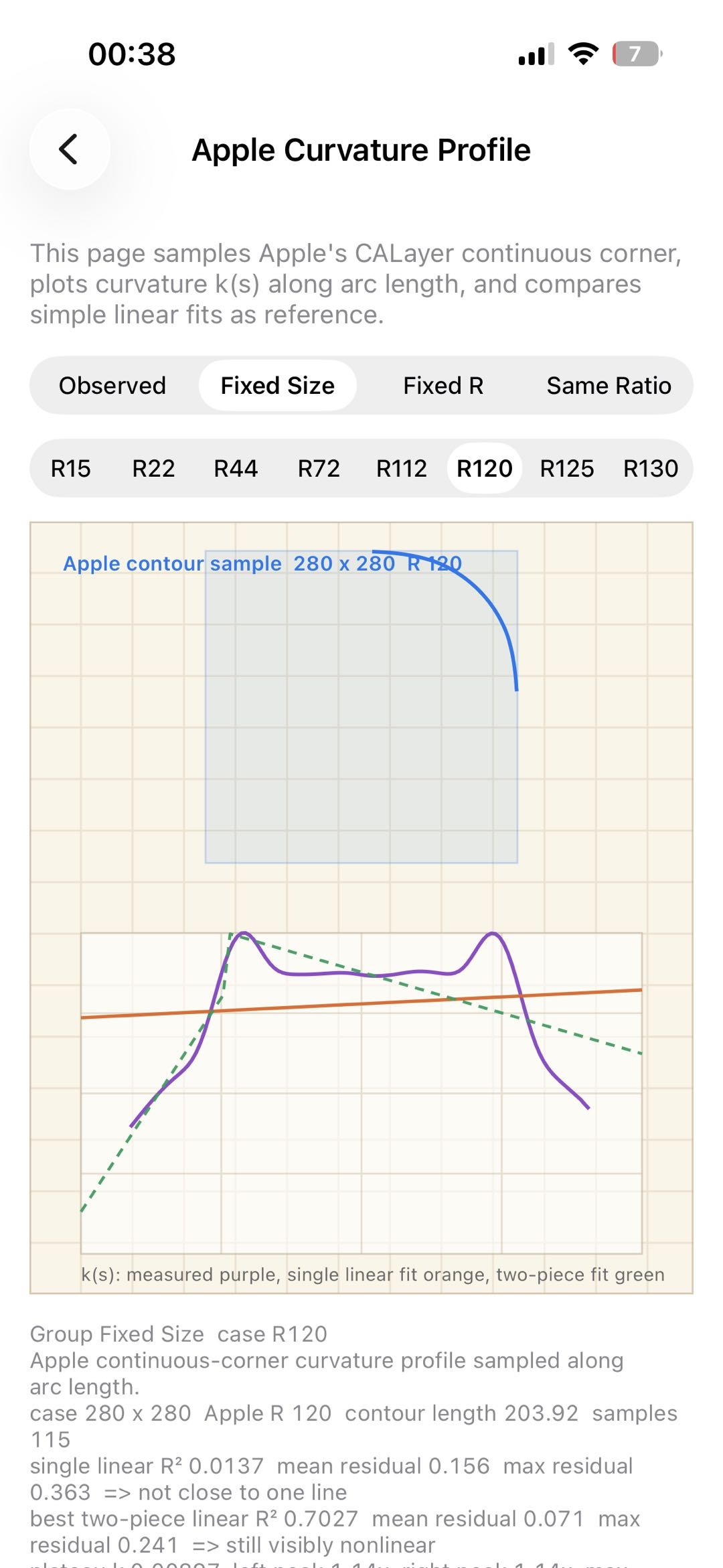
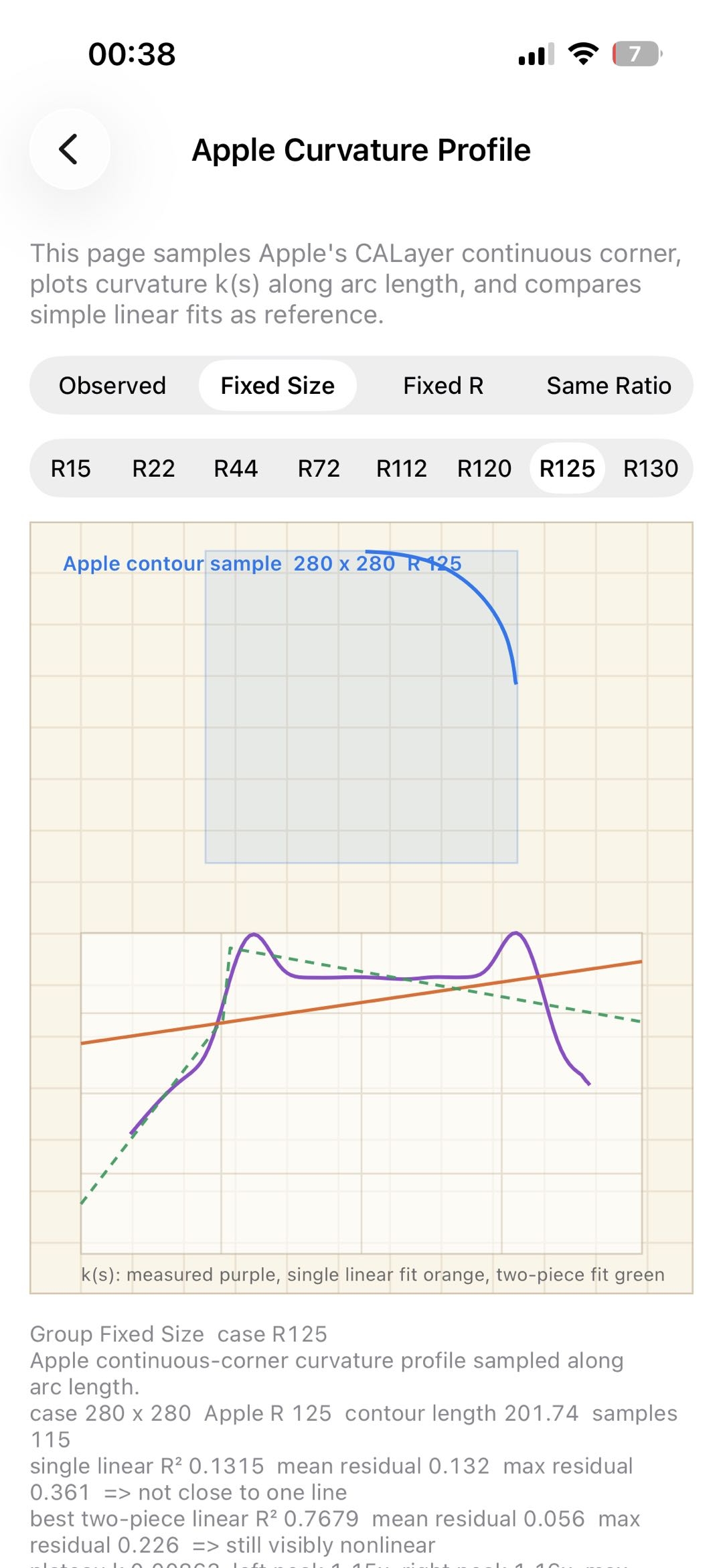
1 | WH: 280x280 R: 22 peak: 1.25x |
Observations:
- The peak is not just random noise: the smaller the radius, the more visible the peak is relative to the plateau; as the radius grows, the peak tends to converge toward around 1.14x.
- Small radii amplify measurement error. With larger radii, there is still roughly 17% to 18% overshoot. Apple’s transition curvature is therefore likely not a simple monotonic rise to the plateau, but closer to 0 -> overshoot by about 15%~20% -> fall back to the arc plateau.
- Fixed corner radius
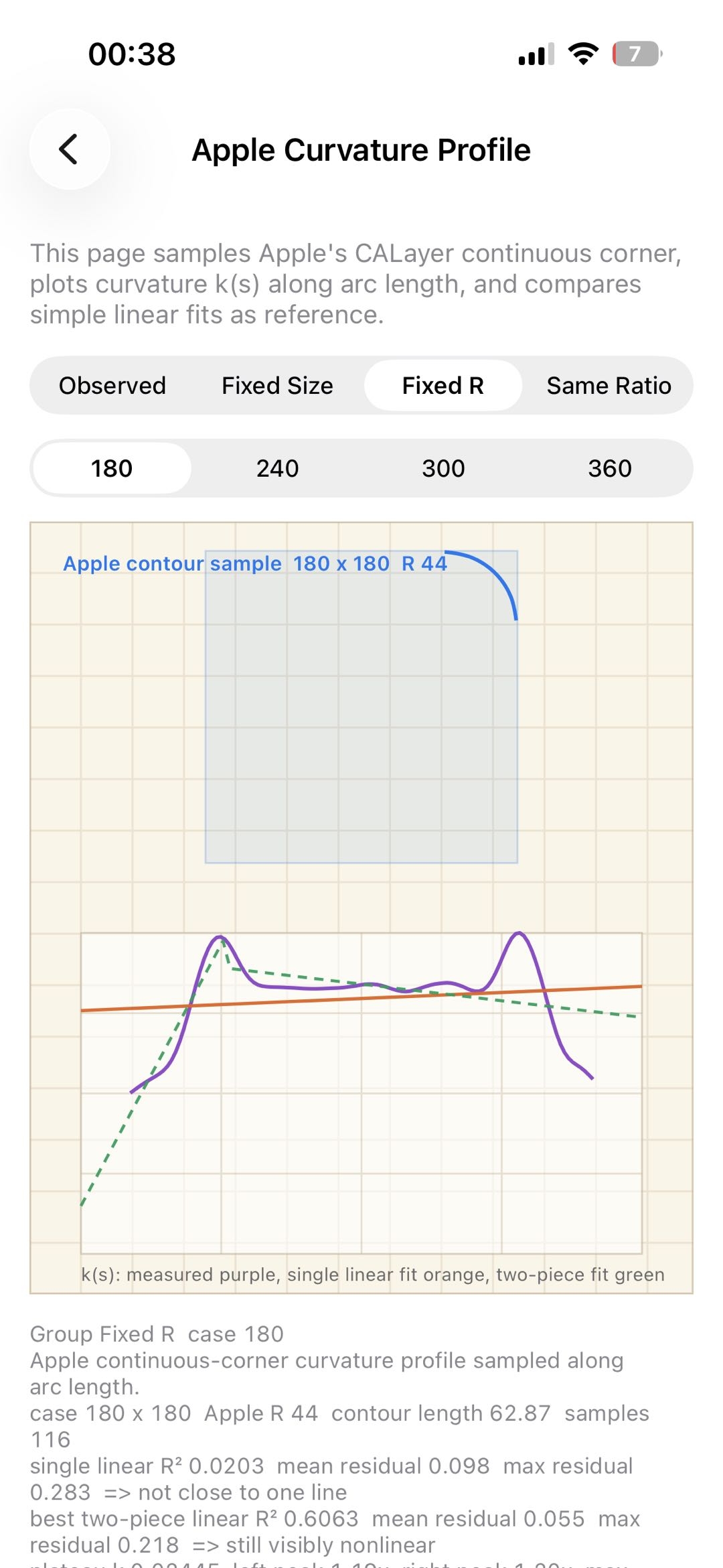
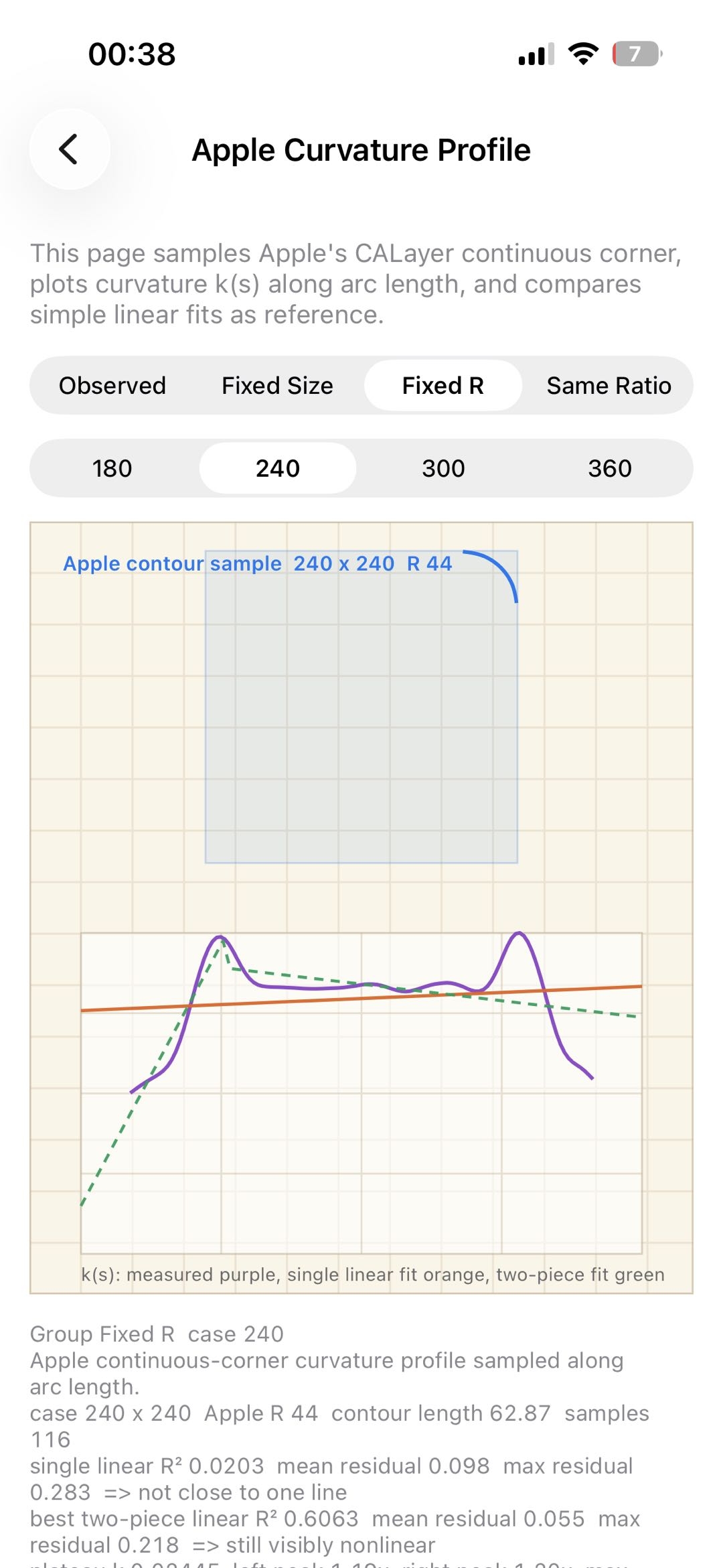
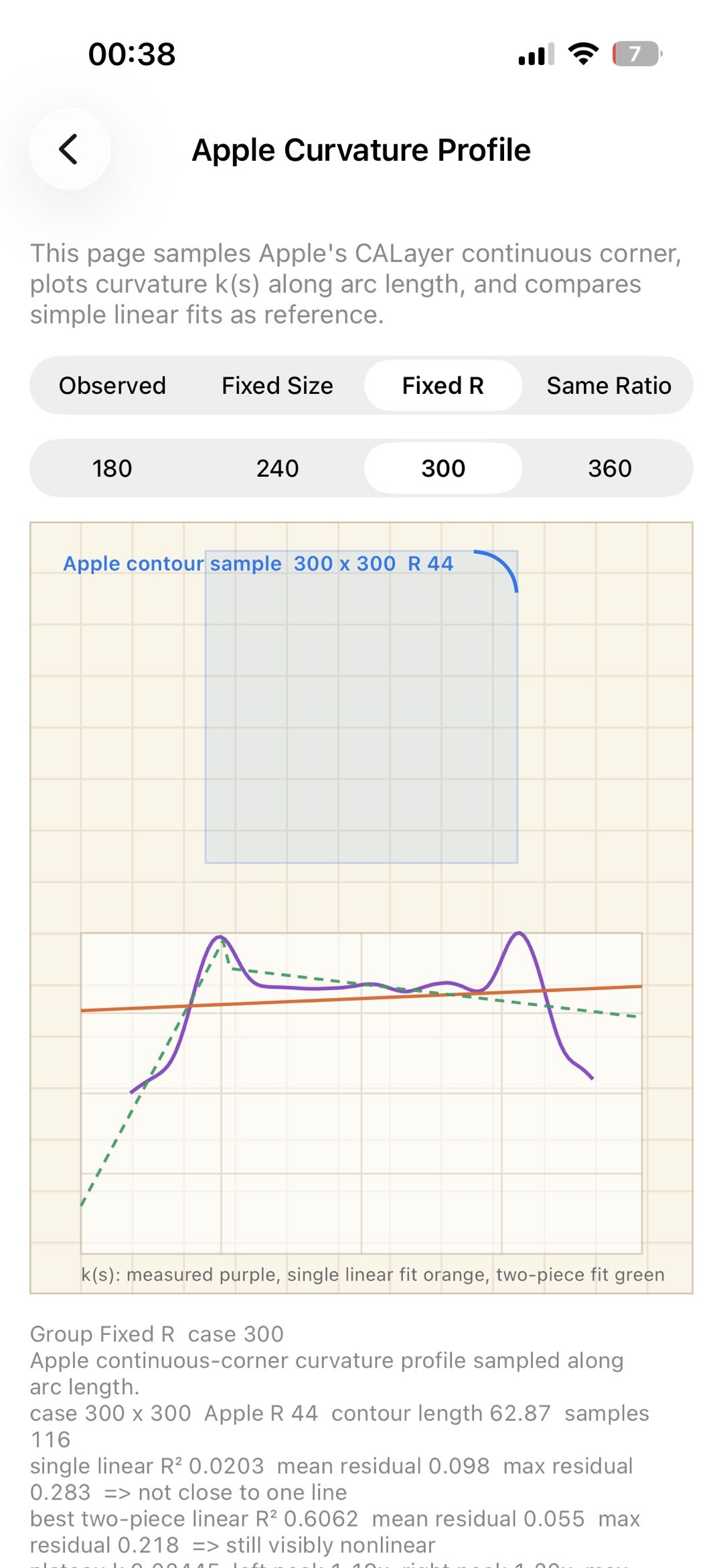
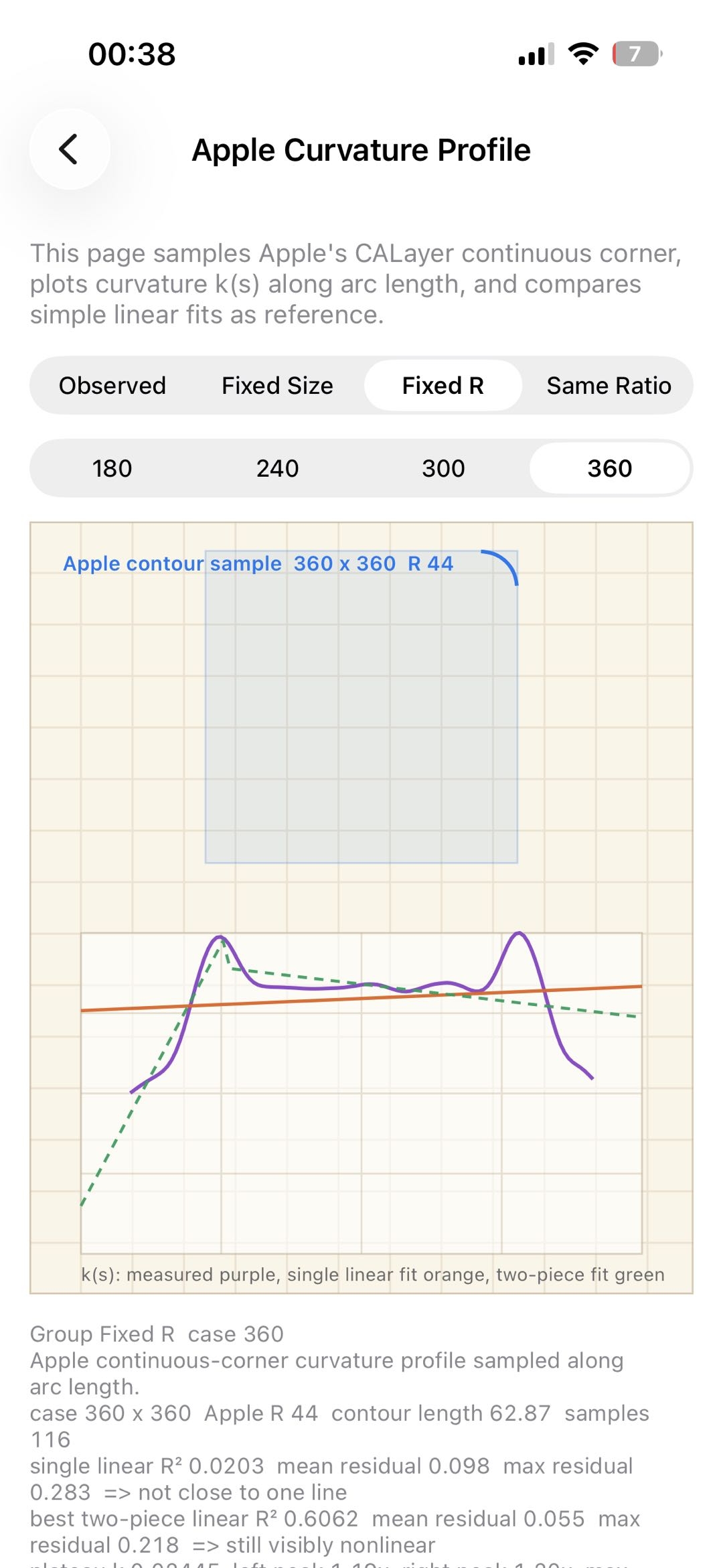
Observation:
- When the corner radius is fixed at 44, the peak stays around 1.20x.
Introducing overshoot
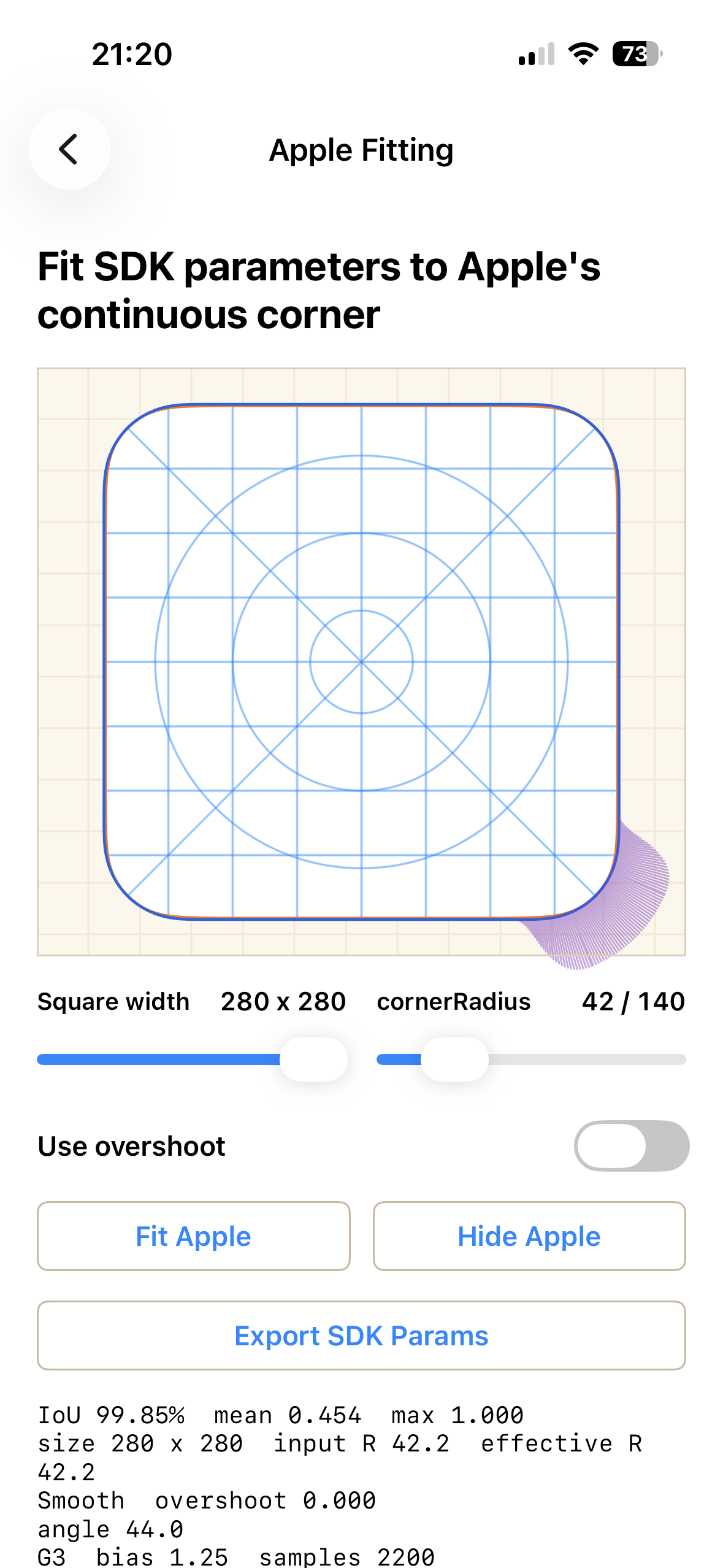
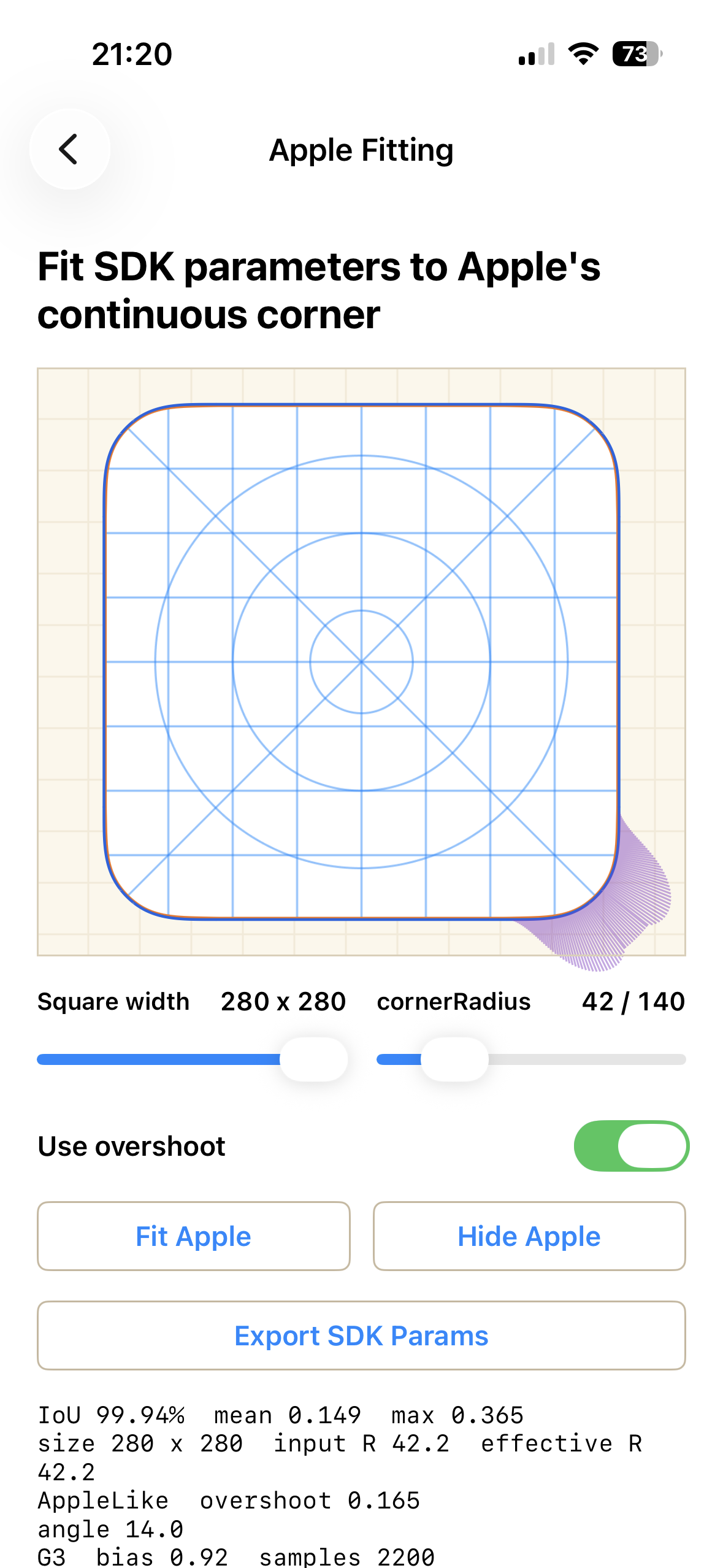
The measurements show that the curvature peak in the transition segment is clearly higher than the reference plateau, with the peak ratio reaching roughly 1.25x. This suggests that Apple’s continuous-corner curvature does not increase monotonically to the baseline circular curvature. Instead, it appears to rise from 0, overshoot the baseline slightly, and then fall back to the circular plateau.
To model this behavior, I added an overshoot term: a bump on top of the smooth base curvature function in Core:
- the bump is 0 at both ends of the transition segment, so it does not break endpoint constraints;
- the bump reaches a peak in the middle of the transition segment;
curvatureOvershoot = 0.18roughly means the peak curvature is close to 1.18x the arc plateau curvature.
After fitting, overshoot improves the match in some cases, for example: iou 0.9985 -> 0.9994.
Implementation: ContinuousCornerKit
Based on the model above, I built a continuous-corner library with Codex: ContinuousCornerKit (CCK). CCK is a cross-platform continuous-corner geometry and rendering SDK that provides an explainable, debuggable, cacheable, and high-performance rounded-corner system, plus Apple-like curvature fitting.
Git repo: https://github.com/tsuijunxi/ContinuousCornerKit.git
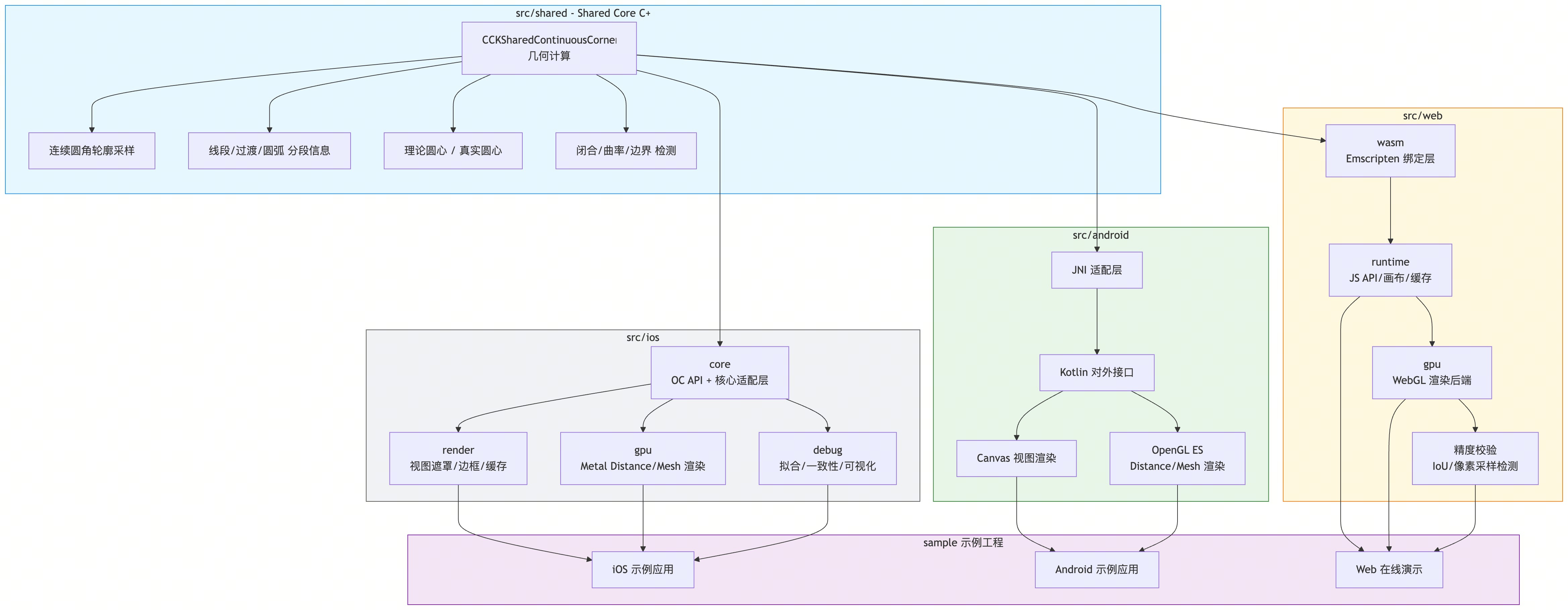
In the diagram, the C++ CCKSharedContinuousCorner layer
handles the geometry work: contour sampling, segment information, and
curvature data. These core capabilities are shared across iOS, Android,
and Web. To keep this article focused, the following sections mainly
cover the iOS side of CCK; Android and Web details live in the project
documentation.
Features
Core
Continuous corner path generation: given a radius,
arc angle, continuity level, bias, and other parameters, CCK outputs
path points, curvature, arc segments, and diagnostic data. In practice,
you configure CCKContinuousCornerConfiguration, then use
CCKContinuousCornerPathBuilder to generate a Bezier path
that can be passed directly to CAShapeLayer for masks,
borders, and related effects.
1 | CCKContinuousCornerConfiguration *config = [CCKContinuousCornerConfiguration defaultConfiguration]; |
For stroke animations, pass a progress parameter. For example, this draws only 50% of the path length:
1 | UIBezierPath *path = |
CCKContinuousCornerConfiguration exposes several
parameters for controlling the corner shape:
radiuscontrols the radiuscircleArcAngleDegreescontrols the size of the middle circular arccornerMaskcontrols which corners are active, withAllas the defaultcontinuityLevelcontrols how smooth the transition curve is
1 | @interface CCKContinuousCornerConfiguration : NSObject <NSCopying> |
Render
The Render module applies continuous corners to UIView,
including mask and border support. It depends on the Core module.
1 | UIView *view = [[UIView alloc] initWithFrame:CGRectMake(0.0, 0.0, 160.0, 96.0)]; |
For performance-sensitive lists, CCK also provides caching and preloading:
1 | /// Preloads paths for many sizes and configurations, useful for collection/table view cells. |
Visual comparison:
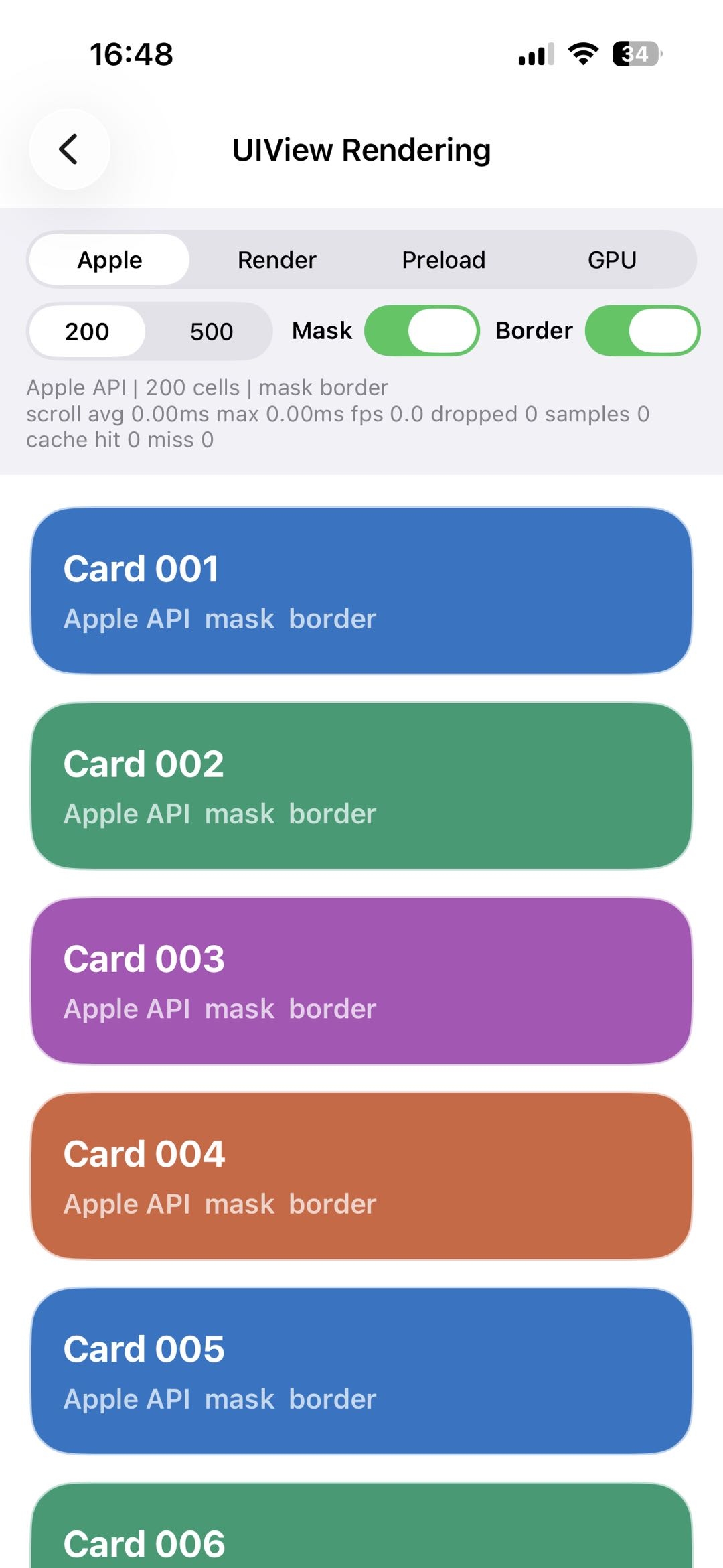
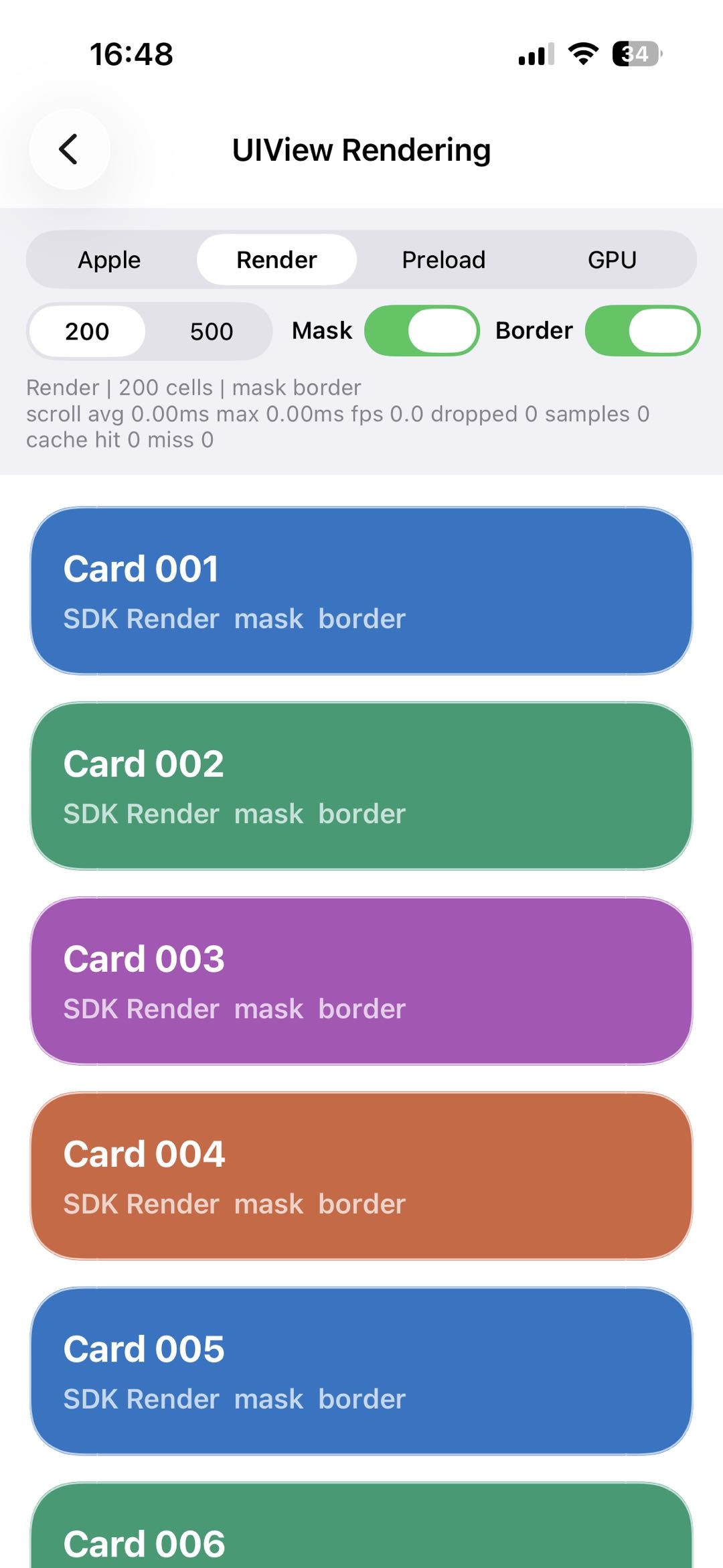
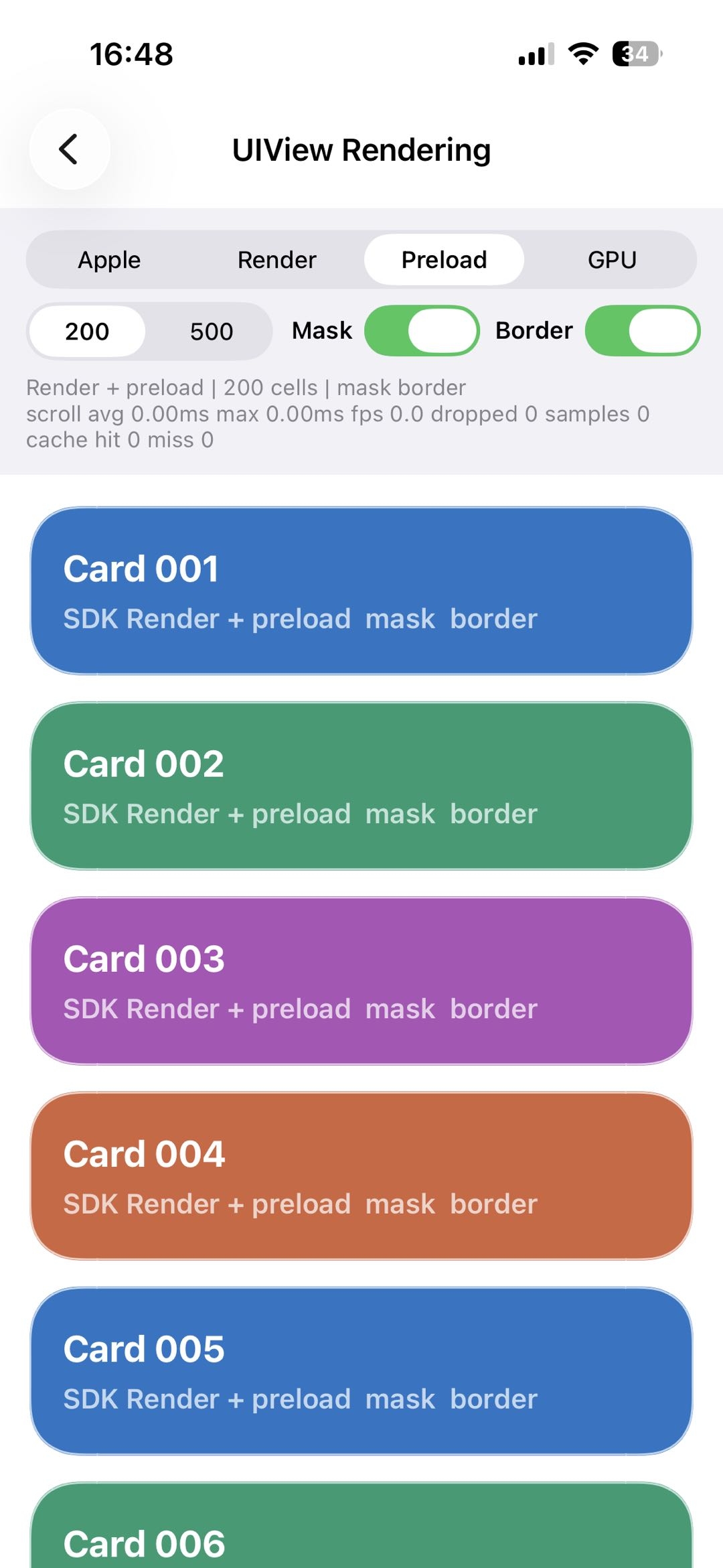
GPU Backend
To push performance further, CCK also includes a GPU rendering path
that does not rely on CGPath masks. The Core path and GPU
output are checked for consistency. The idea is straightforward: upload
the Core-generated continuous-corner outline to the GPU, then let the
shader handle fill, anti-aliasing, and border logic at the pixel
level.
The core input looks like this:
1 | typedef struct { |
The shader handles three main tasks:
Region test Determine whether the current pixel lies inside the closed contour uploaded from Core.
Distance fitting Compute the nearest distance from the current pixel to the contour segments. This is used for edge anti-aliasing and for the border region.
Fill and border composition
- outside the contour: transparent;
- inside the contour: fill color;
- near the contour edge: anti-aliasing based on distance;
- in the border region: blend in the border color.
Shader code:
1 |
|
Visual result:
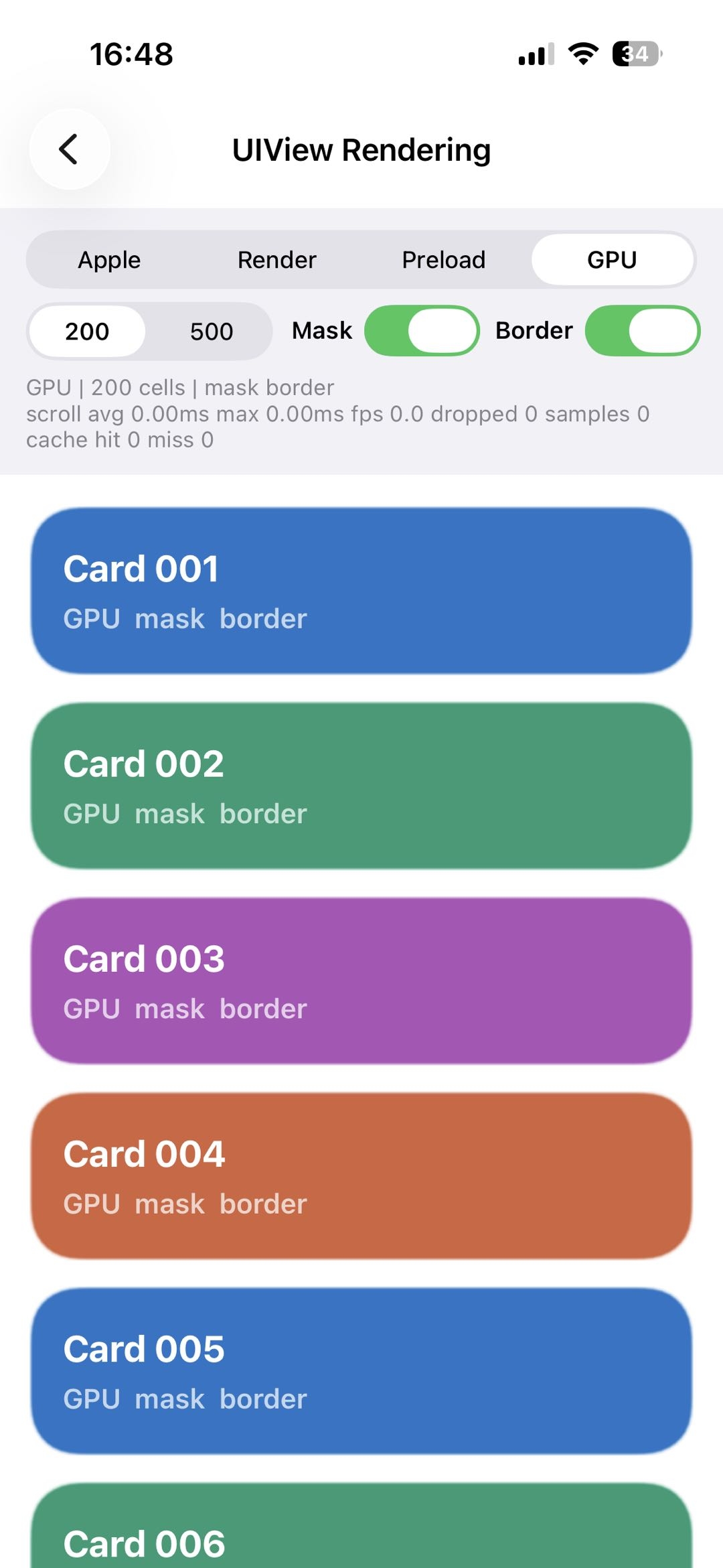 |
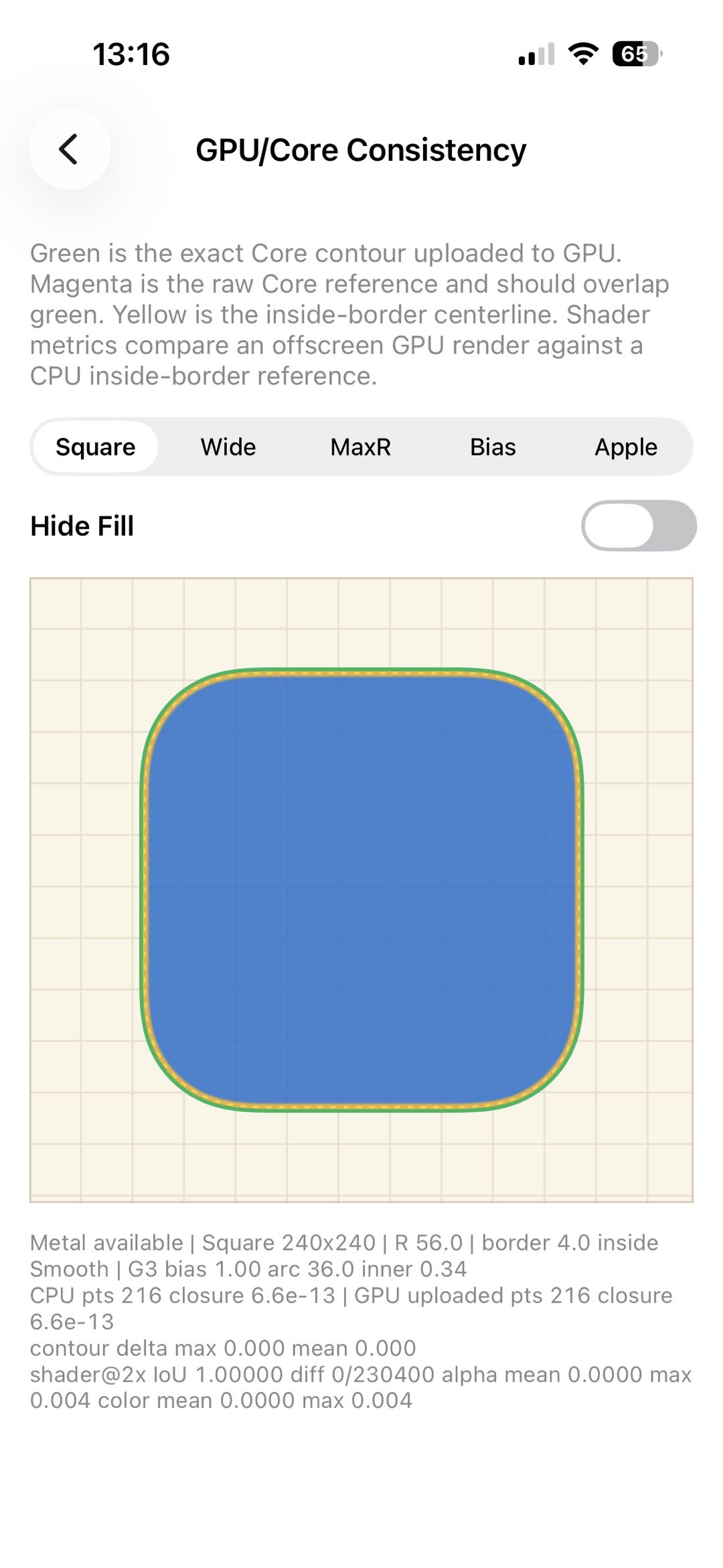
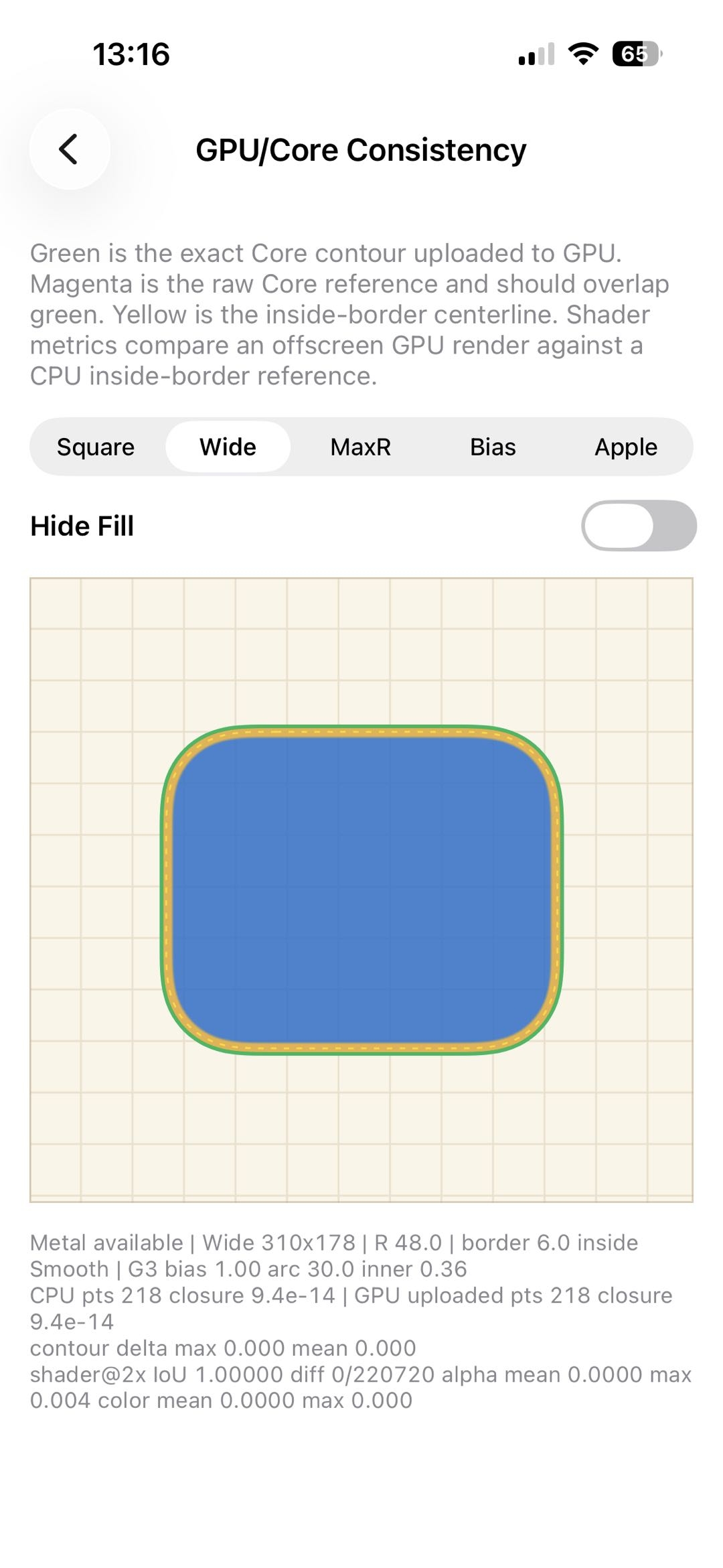
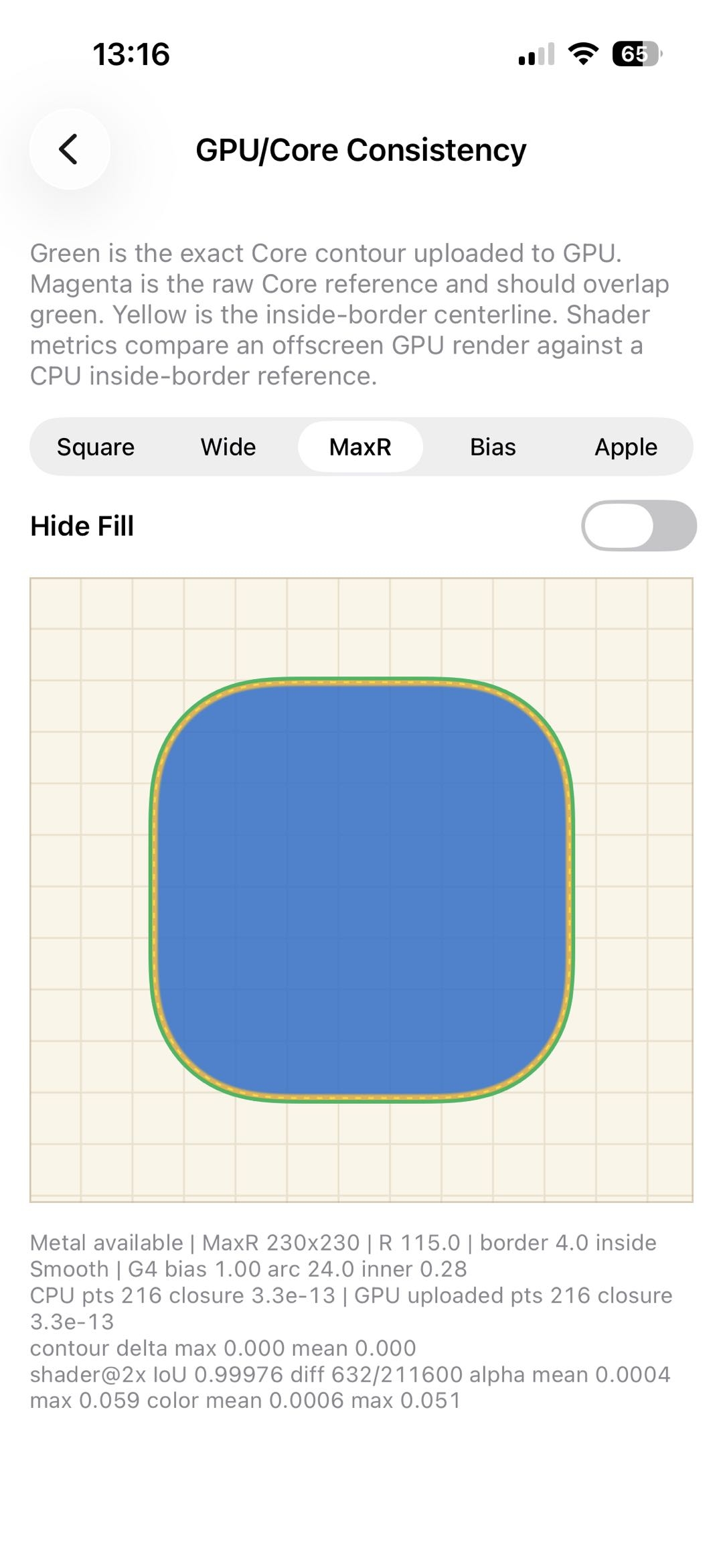
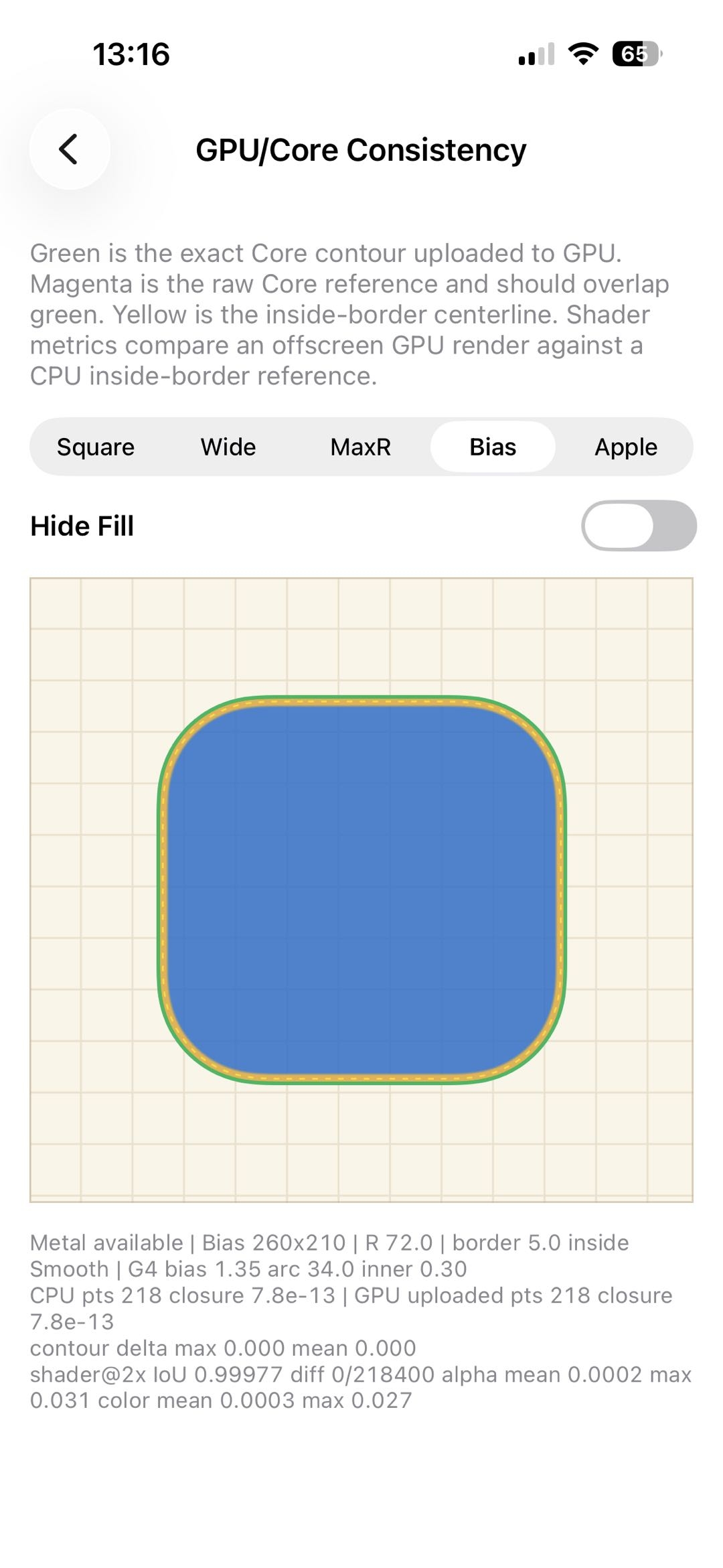
To keep CPU and GPU rendering consistent, CCK runs a consistency test. The measured iou values are very high, with the lowest value at 0.99976.
Debug
- Output debug data
1 | CCKContinuousCornerResult *result = |
1 | result.points // sampled points |
- Inspect the curvature comb
1 | UIBezierPath *combPath = |
- Compare with Apple corners
Compare against Apple’s continuous corner:
1 | CCKCornerComparisonResult *result = |
1 | result.iou // overlap |
Results
So how close is CCK to Apple’s output?
Fixed arc angle, varying corner radius
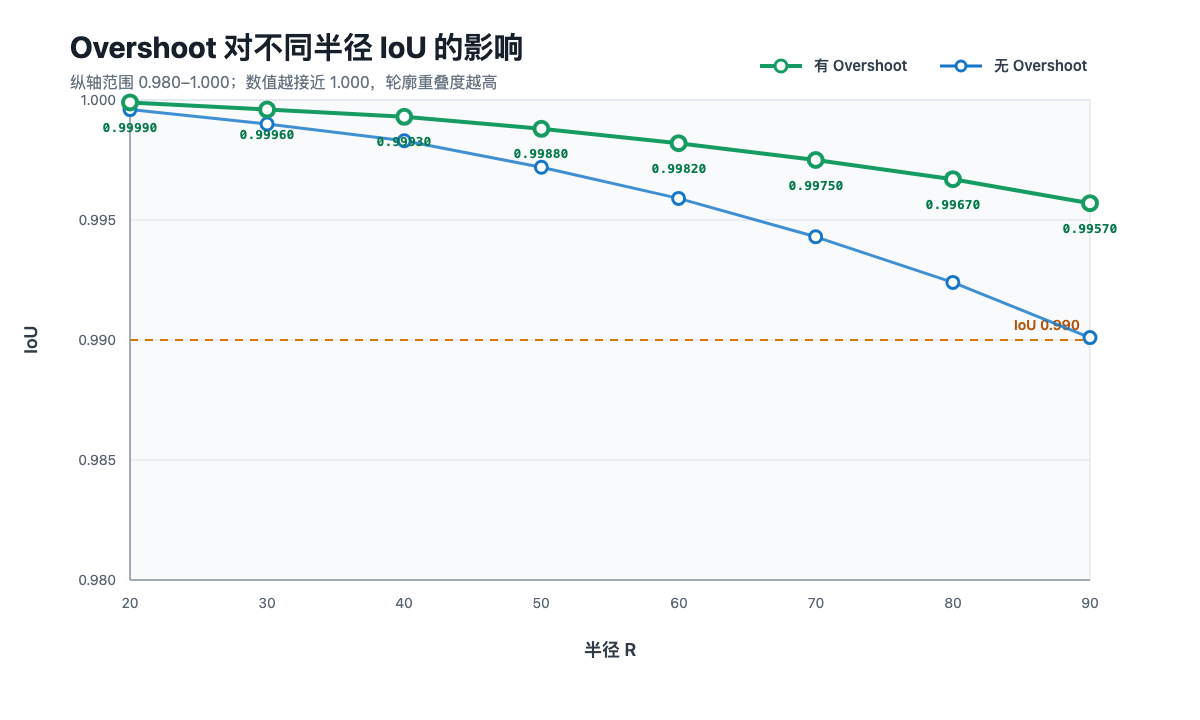
When the arc angle is fixed at 32°, iou gradually decreases as the corner radius increases. The overshoot version drops more slowly, and both variants remain above 99% iou overall.
Parameter fitting
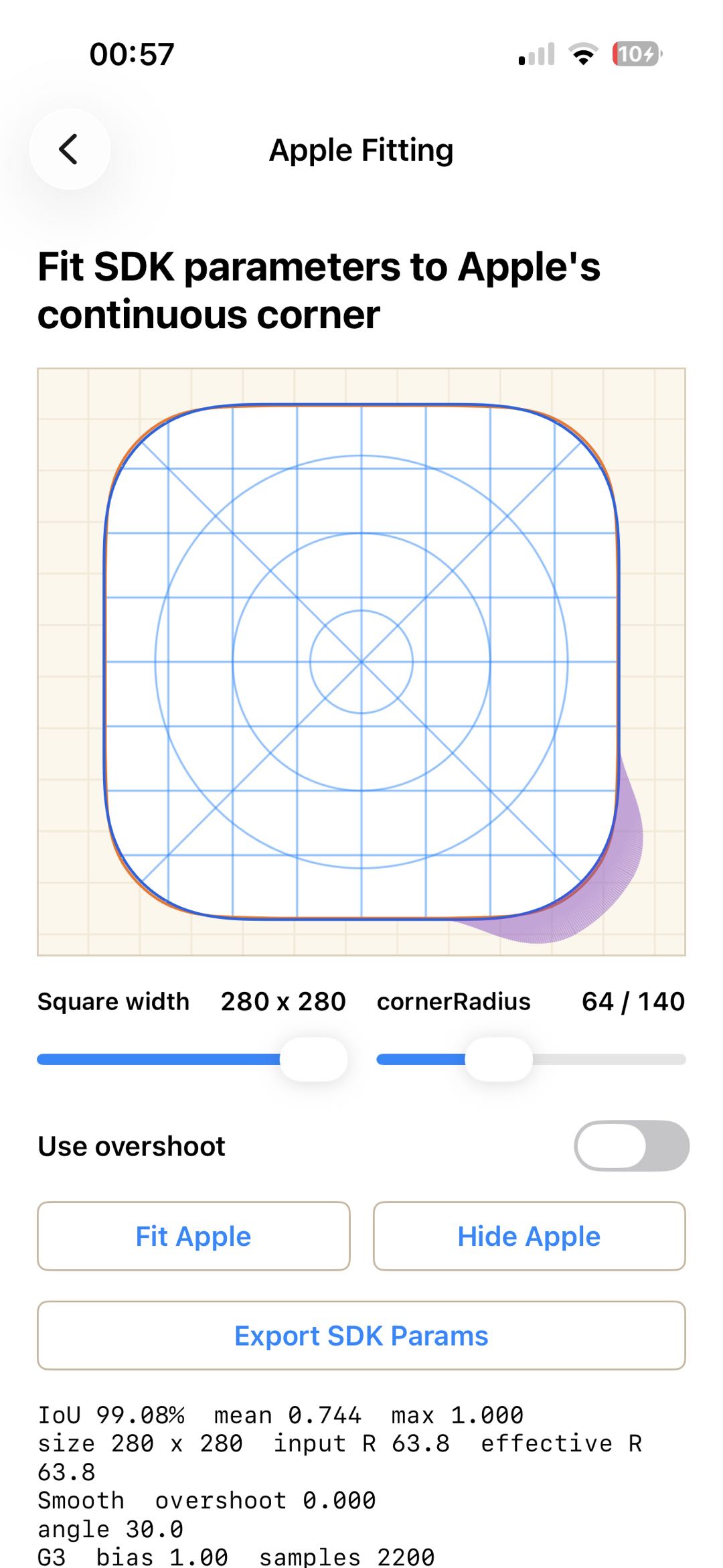
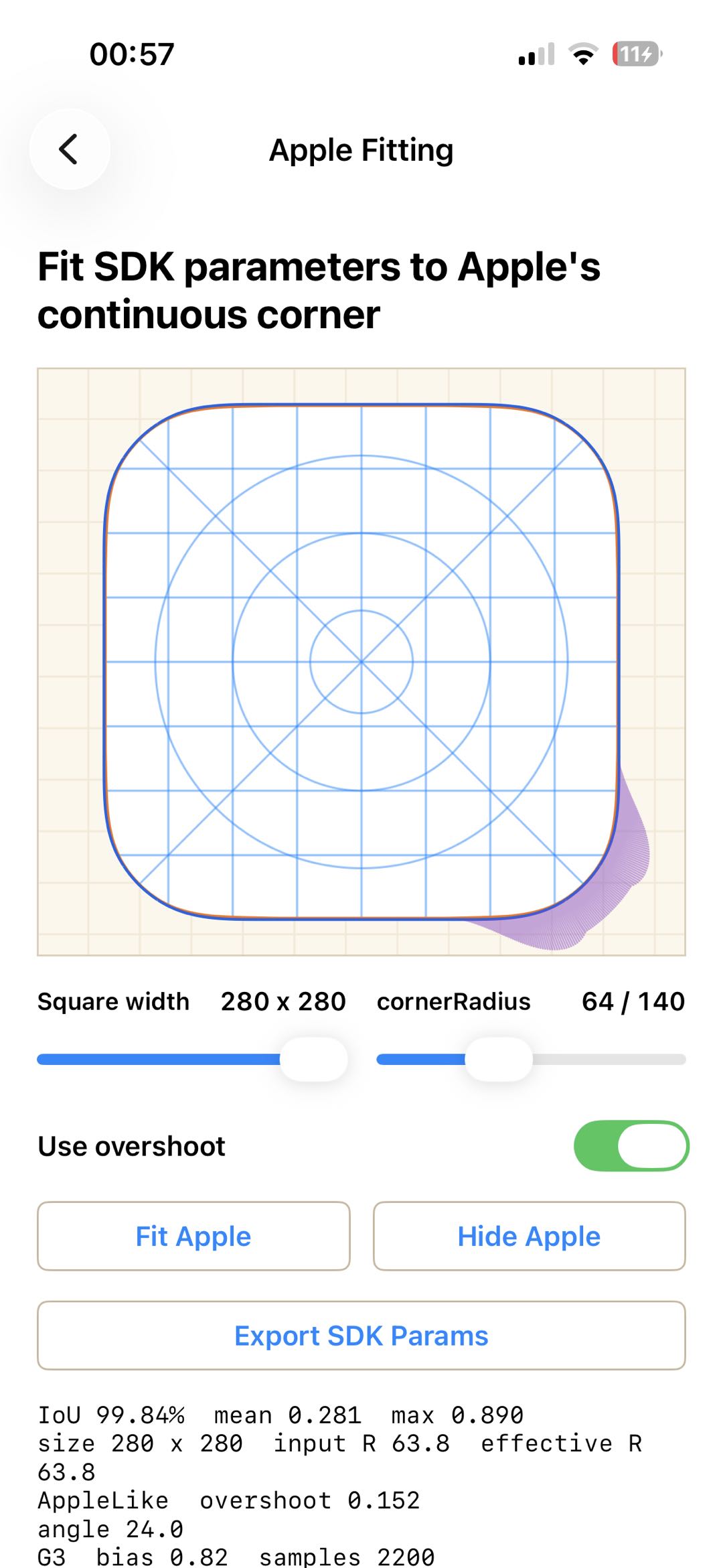
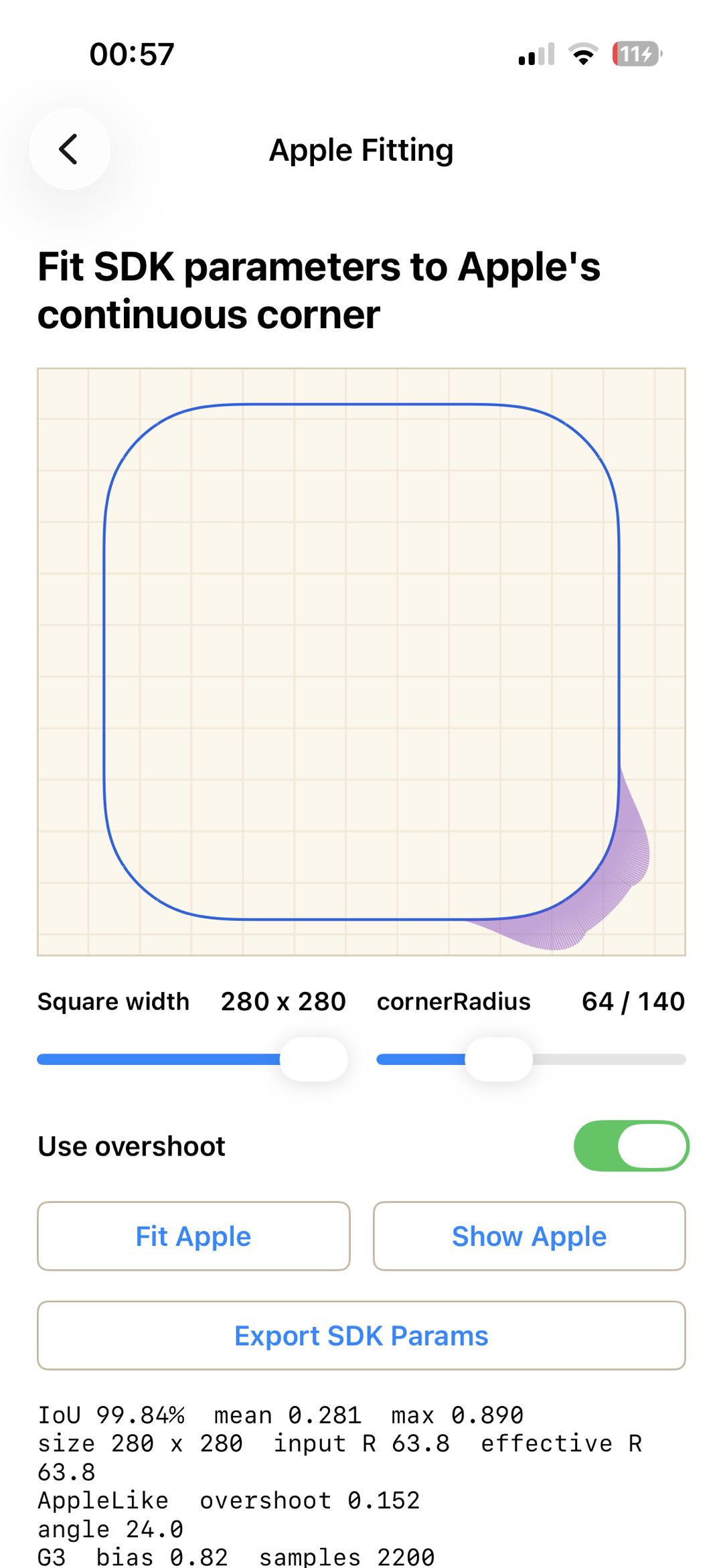
When iou drops, the following API searches for parameters that make the generated shape as close as possible to Apple’s output. The fitted parameters can also be exported.
1 | CCKAppleCornerFittingResult *fit = |
For example, when the radius is 64, iou is 99.08%. After fitting, it improves to 99.84%.
Performance
Test device: iPhone 14 Pro
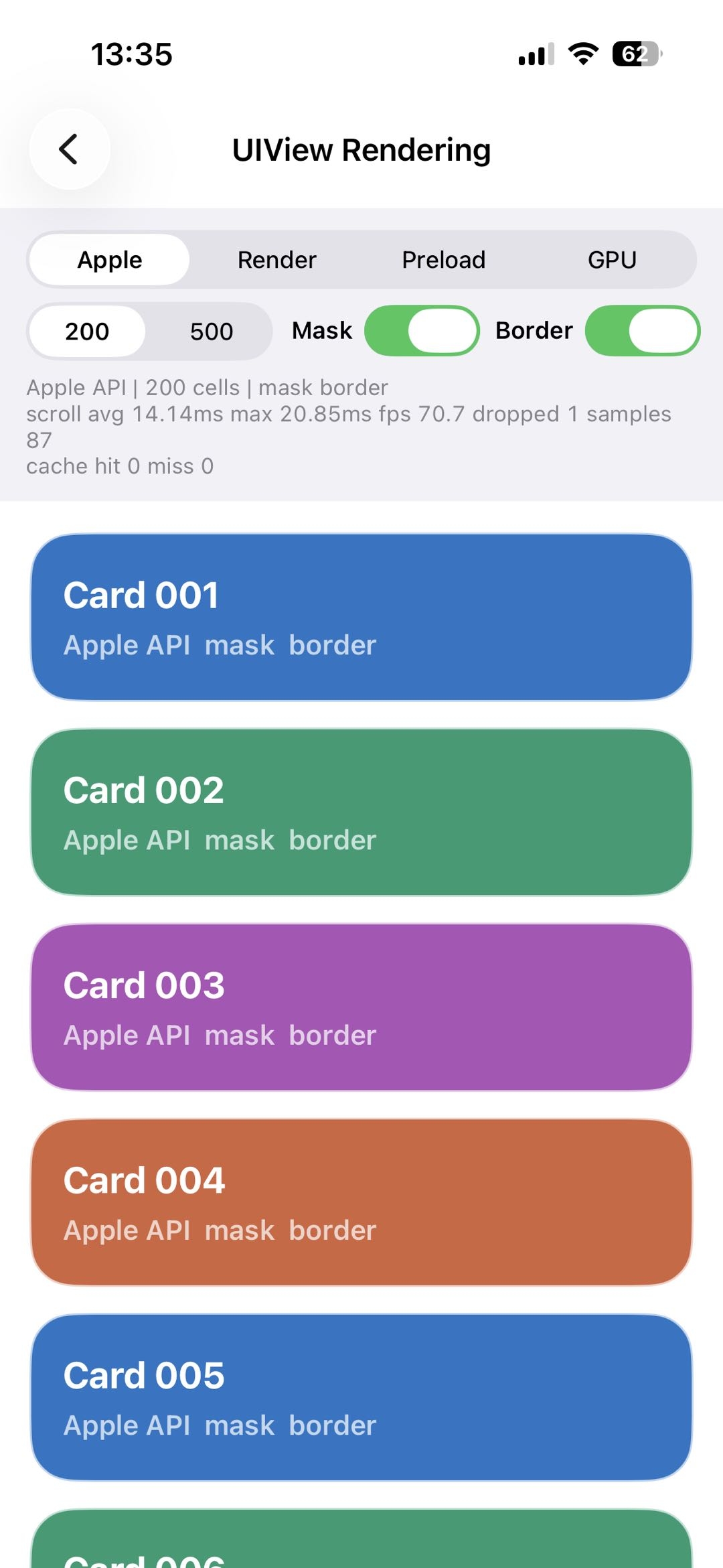
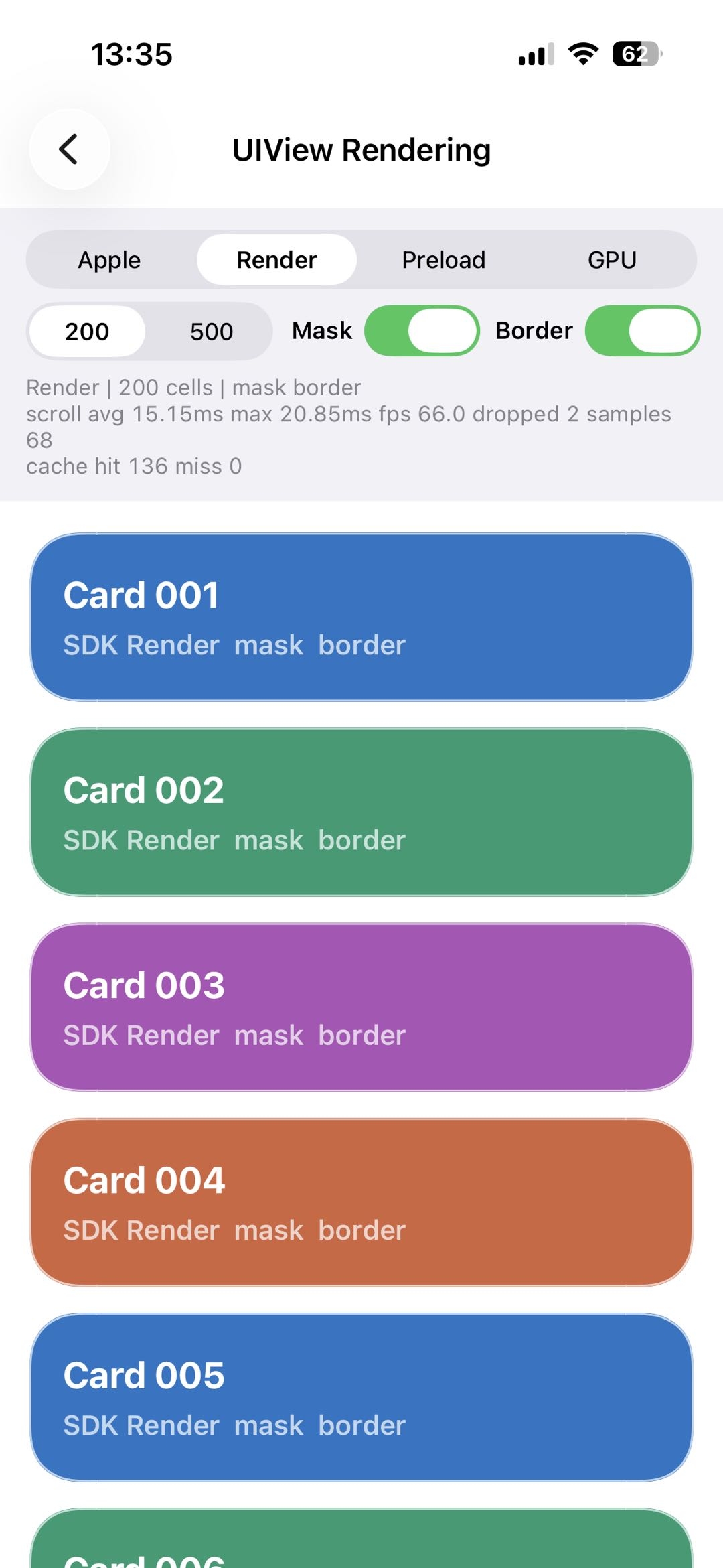
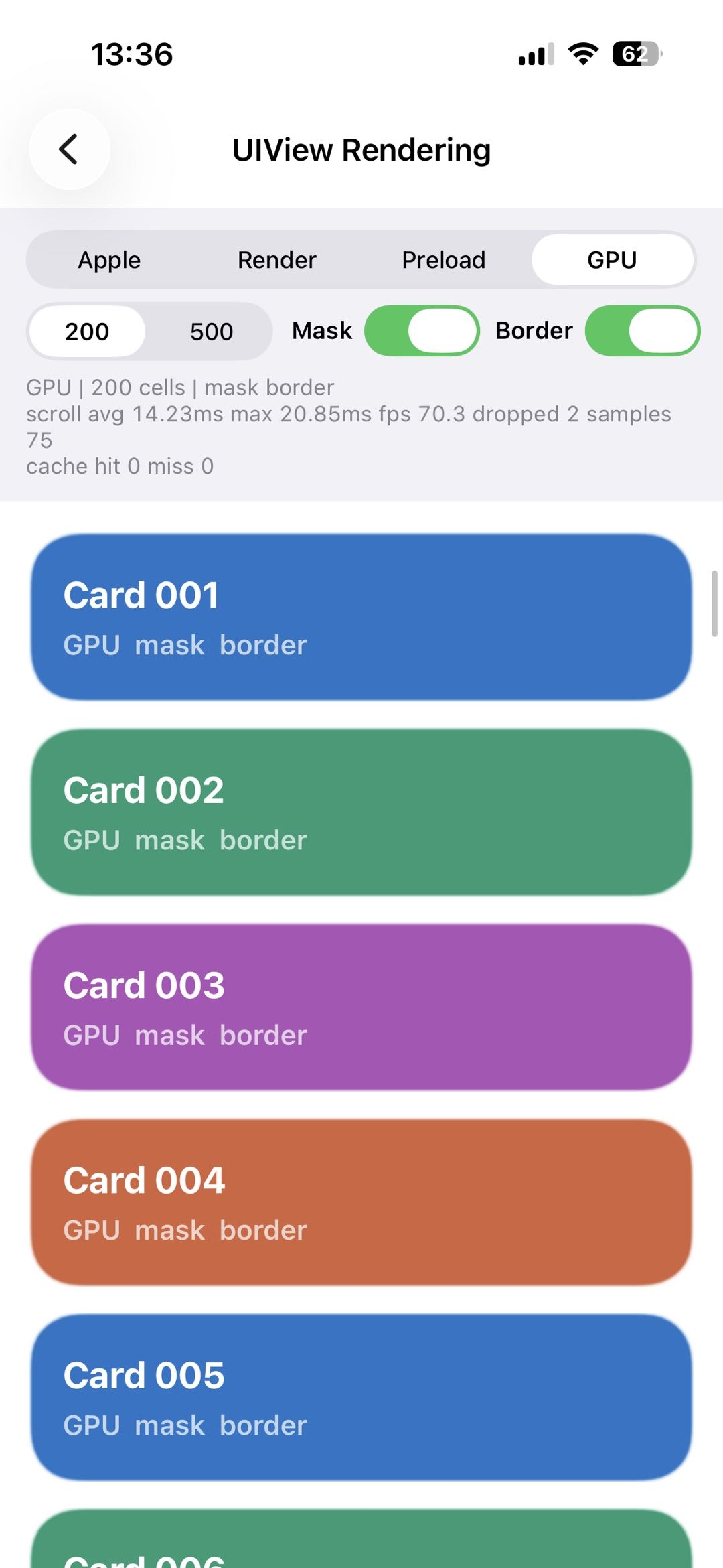
Scrolling list
Data comparison:
| type / metric | scroll avg | scroll max | fps | dropped |
|---|---|---|---|---|
| Apple | 14.14 ms | 20.85 ms | 70.7 | 1 |
| CCK Render | 15.15 ms | 20.85 ms | 66.0 | 2 |
| CCK GPU | 14.23 ms | 20.85 ms | 70.3 | 2 |
The measured performance is close to Apple’s native continuous-corner rendering.
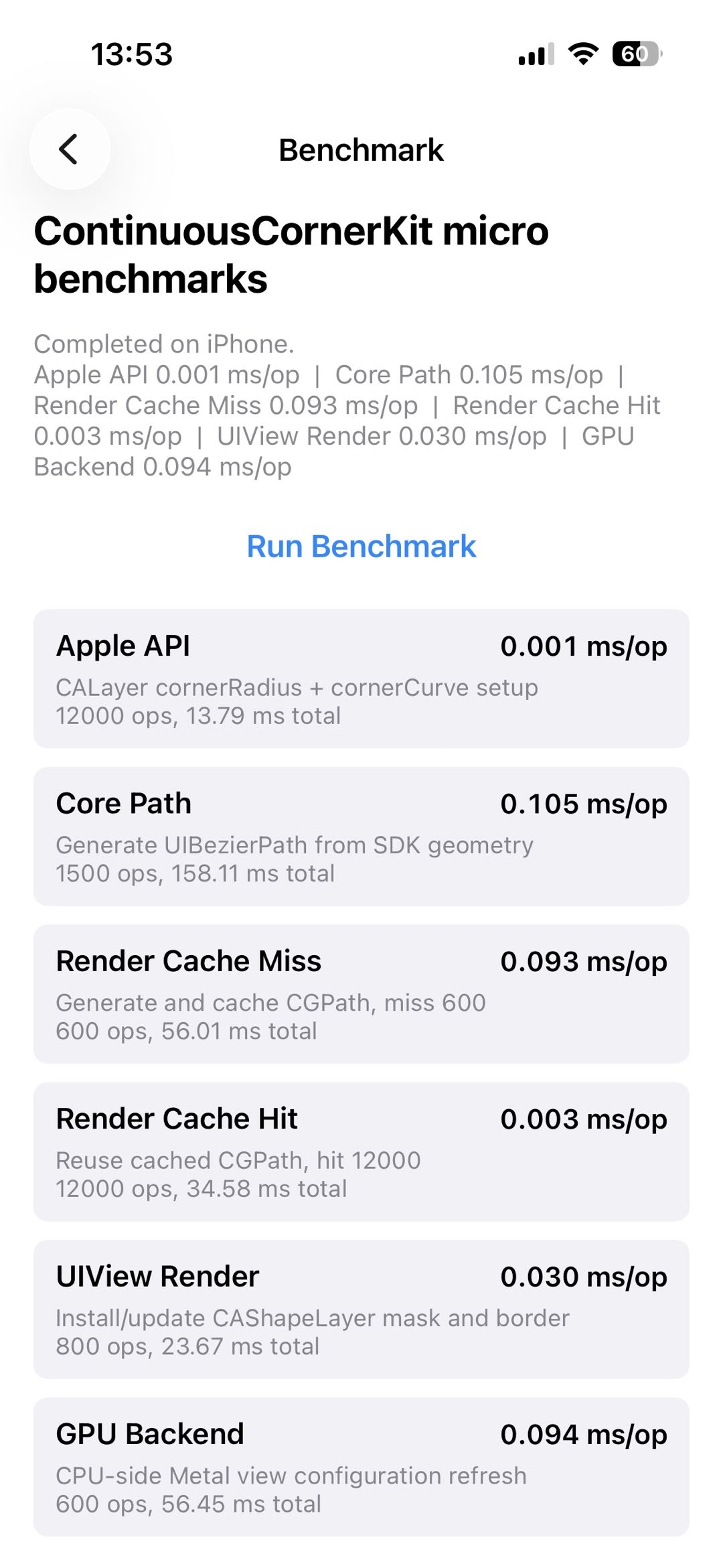
Benchmark
Android & Web
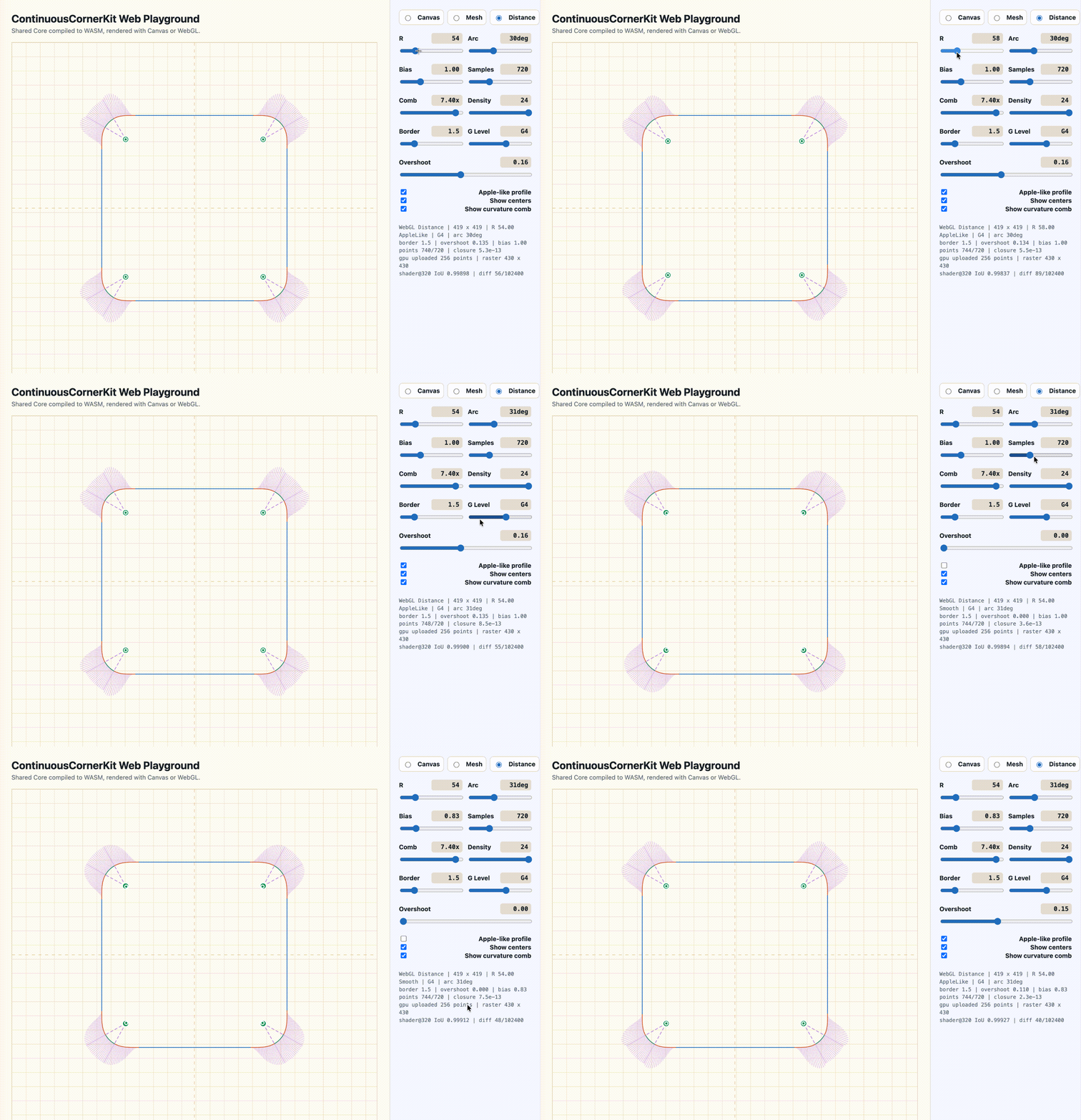
Android and Web do not have Apple’s native iOS API, so there is no platform reference to compare against. The Android and Web implementations are therefore aligned with CCK’s iOS output as closely as possible, including CPU Canvas drawing, GPU Mesh rendering, and GPU Distance rendering:
Maybe continuous corners are not Apple’s secret alone.
Summary
What began as curiosity turned into a small research project and, with help from Codex, eventually became CCK. The implementation does not reveal Apple’s private formula, but it makes the shape less mysterious and gives us a practical model to build on.
References
- From Rounded Corners to Rounded Corners
- Desperately seeking squircles
- iq smoothstep shader
- iq smoothstep blog
- The Book of Shaders
- The Continuity of Splines
- Spline curves and their continuity
- The Art of Code
- 3Blue1Brown
- Curvature, implicit functions, and second derivatives
- Surface Continuity (G0, G1, G2, G3)
- What exactly does the SmoothStep function/node do?
- The art of J, the art of R
- https://iquilezles.org/articles/
- Smoothstep Integral

